Cloud-Based vs Self-Hosted LMS for Schools: Which Is Better?
Choosing a learning management system is an important decision for any school. Beyond comparing features such as course management, assessments, student progress tracking and teacher tools, school administrators also need to consider how the platform will be hosted and maintained.
One decision that often receives less attention during the initial evaluation is whether to use a cloud-based LMS or a self-hosted solution.
At first, both options may appear similar. They allow teachers to manage learning activities, students to access educational resources and administrators to oversee different aspects of the learning process. However, the responsibilities involved in hosting, maintaining, securing and updating the software can be quite different.
For a school with limited technical resources, the right deployment model can make a significant difference to daily operations. A larger institution with an internal IT department may have different requirements, particularly if it needs greater infrastructure control or customized configurations.
So, cloud-based vs self-hosted LMS: which is better for schools?
The answer depends on the school's size, technical capabilities, budget, security requirements, internet infrastructure and long-term plans. This guide explains both options, compares their practical differences and provides a framework for selecting an LMS deployment model that makes sense for your institution.
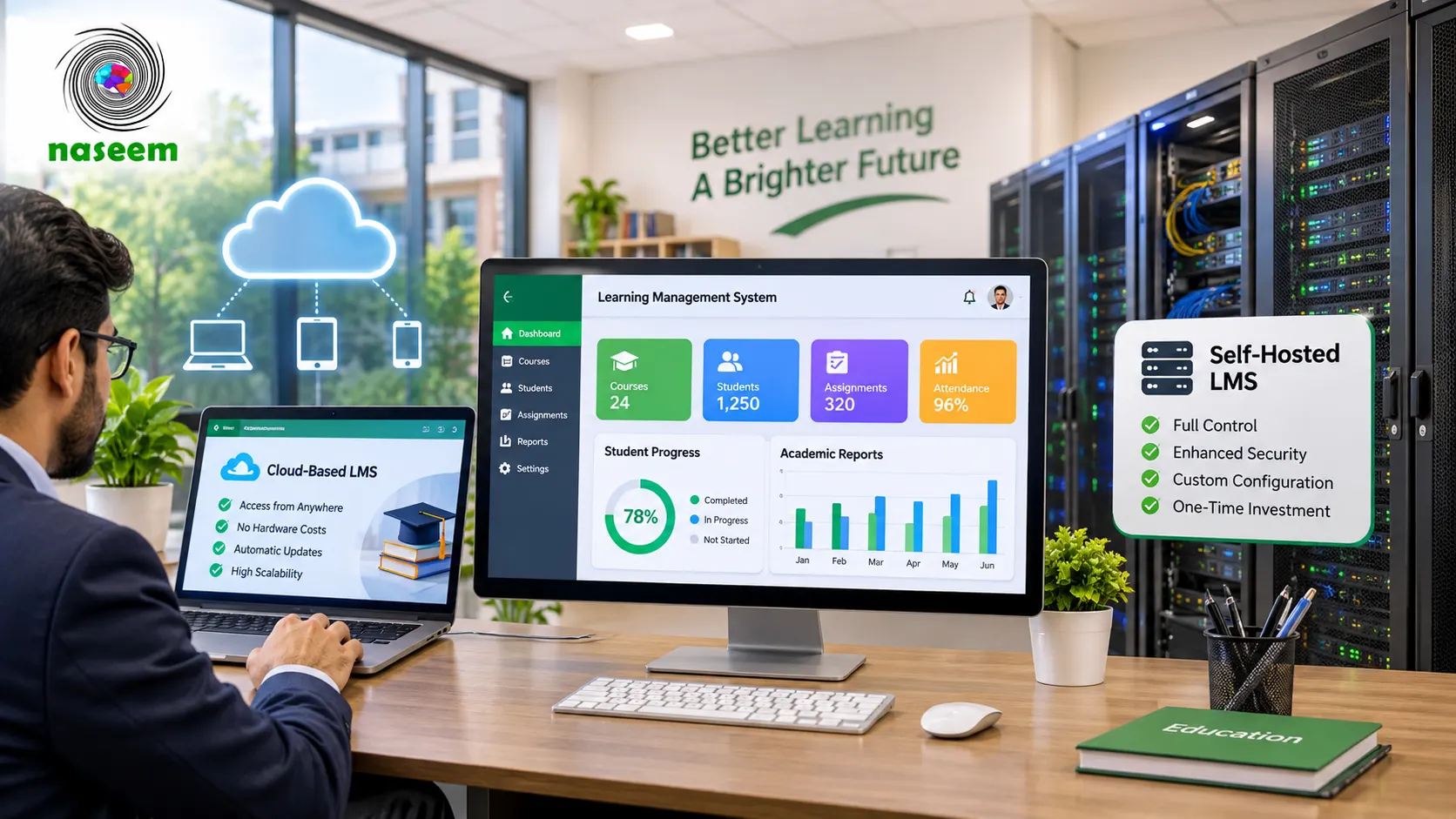
What Is a Cloud-Based Learning Management System?
A cloud-based learning management system is hosted on cloud infrastructure and accessed through an internet connection. Instead of installing and maintaining the complete application on servers operated by the school, users access the platform through a supported web browser or application.
In a typical software-as-a-service arrangement, the LMS provider manages the underlying hosting environment and application operations. Depending on the service agreement, the provider may also handle software updates, infrastructure maintenance, backups, monitoring and technical support.
Teachers can access their courses, manage assessments and review student progress without needing to maintain a dedicated school server for the LMS.
Students can access their learning environment from supported devices, while school administrators can manage their institutional activities through the available administrative tools.
For schools, one of the main attractions of this model is the reduced need to operate and maintain technical infrastructure internally.
However, cloud-based does not automatically mean that every responsibility belongs to the vendor. Schools still need to manage user accounts, appropriate permissions, staff practices, devices and their own data governance responsibilities.
What Is a Self-Hosted LMS?
A self-hosted learning management system is installed and operated within infrastructure controlled by the school or its designated technical team.
This infrastructure might be a physical server located on school premises or a virtual server rented from a cloud hosting provider. The important distinction is that the institution or its appointed administrator takes responsibility for operating the LMS environment.
For example, a school might purchase an LMS application and deploy it on its own server. Its technical team would then be responsible for configuring the environment, maintaining the operating system and application, managing updates, monitoring performance and arranging backups.
A self-hosted LMS can offer greater control over the hosting environment, but that control comes with additional responsibilities.
The school may need expertise in server administration, database management, cybersecurity, software deployment and disaster recovery. If those capabilities are not available internally, the institution may need to hire an IT specialist or engage an external service provider.
It is also important to understand that self-hosted does not necessarily mean on-premises. An LMS can be self-hosted on rented cloud infrastructure. The distinction is about who operates and manages the application environment, not simply where the physical server is located.
Cloud-Based vs Self-Hosted LMS: Understanding the Difference
The most useful way to compare these models is to examine who is responsible for the different parts of the system.
With a managed cloud LMS, the provider generally takes responsibility for operating the hosting infrastructure and maintaining the application according to the agreed service model.
With a self-hosted LMS, the institution takes on a much larger portion of those operational responsibilities.
The following comparison highlights the main differences.
| Evaluation area | Cloud-based LMS (managed SaaS) | Self-hosted LMS |
|---|---|---|
| Hosting | Managed by the provider | Managed by the institution or its contractor |
| Server administration | Generally handled by the provider | School or contractor responsibility |
| Software updates | Usually provider-managed | Institution-managed |
| Infrastructure maintenance | Provider-managed under the agreement | Institution or contractor |
| Customization | Depends on platform and plan | Depends on software architecture and technical access |
| Initial technical setup | Usually simpler for the school | Requires deployment and configuration |
| Technical expertise | Lower internal infrastructure requirement | Greater technical expertise required |
| Backup arrangements | Must be verified with the provider | Arranged by the institution |
| Security responsibilities | Shared between provider and school | More direct operational responsibility for the school |
| Scalability | Depends on provider capacity and service plan | Depends on infrastructure planning |
| Long-term costs | Subscription and service costs | Hosting, licensing, maintenance and staffing costs |
Neither model is automatically superior. A school should evaluate the actual service arrangement rather than making its decision based on the deployment label alone.
1. Initial Setup and Deployment Requirements
The initial setup process is one of the first differences schools notice.
A managed cloud LMS usually requires fewer infrastructure decisions from the institution. The provider operates the hosting environment, while the school focuses on setting up its users, courses, permissions and learning activities.
This can make implementation more straightforward, particularly for schools that do not have dedicated IT staff.
A self-hosted LMS requires more preparation. Before launching the platform, the school may need to arrange suitable server resources, configure the database, install the application, establish security controls and test the environment.
These activities can require considerable planning.
For example, a school with 500 students might find that a managed service is easier to introduce than maintaining a separate technical environment. A larger institution with an experienced IT department may be comfortable handling the deployment itself.
However, the number of students alone should not determine the choice. Technical expertise, operational complexity and available resources matter just as much.
What should schools ask?
- Who is responsible for the initial installation?
- How long does implementation normally take?
- Does the provider configure the environment?
- Who creates the initial institutional structure?
- What technical resources are required from the school?
- Is training included in the deployment process?
Ask for a written implementation plan instead of relying on general statements about easy setup.
2. Hosting and Maintenance Responsibilities
An LMS needs ongoing maintenance to remain reliable and useful.
This includes monitoring server performance, applying software updates, managing storage, checking database health and resolving technical problems.
With a managed cloud LMS, the provider generally handles the underlying infrastructure and agreed maintenance activities. The school should still understand the service's maintenance schedule, support arrangements and responsibilities.
With a self-hosted solution, these responsibilities sit with the institution or its appointed technical contractor.
A school may initially underestimate the effort involved. Maintaining an LMS is not simply a matter of installing software once and leaving it running.
The environment needs ongoing attention. Updates must be tested, technical issues investigated and infrastructure capacity reviewed as usage increases.
If the school does not have an internal IT department, these tasks can become an additional operational burden.
Before purchasing, ask the provider to explain exactly what maintenance is included and what falls outside the agreement.
3. Cost: Which LMS Deployment Model Is More Affordable?
Cost is often one of the most important considerations for school owners.
However, comparing only the initial subscription fee against the cost of a server can produce a misleading result.
Schools should evaluate the total cost of ownership over a realistic period, such as three years.
Cloud-based LMS costs
A managed cloud LMS may involve:
- Monthly or annual subscription fees.
- User-based or institution-based licensing.
- Additional storage or usage charges.
- Optional integrations.
- Training and onboarding.
- Premium technical support.
- Additional services where required.
The advantage is that many infrastructure expenses are incorporated into the service arrangement.
The disadvantage is that recurring subscription payments continue for as long as the institution uses the platform.
Self-hosted LMS costs
A self-hosted LMS may involve:
- Software licensing.
- Server infrastructure.
- Cloud hosting or physical hardware.
- Database management.
- Installation and configuration.
- Security monitoring.
- Backup storage.
- Software updates.
- Technical staff or external consultants.
- Disaster recovery arrangements.
Some self-hosted software may have a low initial licensing cost, but operating it properly can still require significant resources.
Example of a three-year cost evaluation
The following is an illustrative comparison framework, not a quotation or actual market pricing.
| Cost category | Cloud-based | Self-hosted |
|---|---|---|
| Initial setup | Lower infrastructure burden | Potentially higher |
| Software subscription or licence | Recurring service fee | Licence or software costs |
| Hosting | Usually included or bundled | Separately arranged |
| Maintenance | Often provider-managed | School or contractor |
| Technical staff | Less infrastructure-specific staffing | More technical involvement |
| Backup and recovery | Verify service coverage | Arrange and test internally |
| Scaling | Depends on subscription and provider | Requires capacity planning |
A school should calculate the actual cost of both options using quotations from shortlisted providers.
The most affordable option is not necessarily the one with the lowest advertised price. It is the one that delivers the required functionality and service quality without creating unsustainable operating costs.
4. Security and Student Data Protection
Schools handle information that deserves careful protection.
An LMS may contain student profiles, course participation, assessment results, feedback, teacher information and other academic records.
This makes security a purchasing requirement rather than an optional technical feature.
A common misconception is that self-hosted software is automatically more secure because the institution controls the server.
That is not necessarily true.
Security depends on how the system is designed, configured, monitored and maintained.
A self-hosted LMS may give a school greater control over infrastructure and security configurations. However, the school must have the expertise and processes to use that control effectively.
A managed cloud service may benefit from dedicated infrastructure operations and security processes, but schools still need to understand how their information is handled.
Microsoft explains this through the shared responsibility model for cloud security. Responsibilities differ according to whether an organization uses SaaS, PaaS, IaaS or on-premises infrastructure.
Before selecting a platform, ask:
- Where is institutional data stored?
- Who can access the information?
- How are user permissions managed?
- Is data encrypted during transmission and storage?
- How are security incidents handled?
- What happens when an employee leaves the institution?
- Can the school obtain information about security controls?
- What are the data retention and deletion arrangements?
The U.S. Department of Education's guidance on protecting student privacy while using online educational services is also a useful reference for schools evaluating third-party educational technology.
Schools in Pakistan should additionally review applicable local legal and contractual requirements rather than assuming that a foreign privacy framework automatically establishes compliance.
5. Backups, Recovery and Business Continuity
Imagine a school losing access to its LMS shortly before examinations.
Teachers need assessment information, students need learning resources and administrators need access to academic records.
What happens next?
This is why backup and recovery arrangements deserve attention during the selection process.
A managed cloud provider may offer automated backups and recovery procedures. However, schools should not assume that every provider offers the same backup frequency, retention period or recovery guarantee.
A self-hosted LMS requires the institution to establish its own backup and disaster recovery strategy.
That includes deciding:
- How frequently backups are performed.
- Where backup copies are stored.
- How long backup data is retained.
- Who can access backup files.
- How restoration is tested.
- How long the school can tolerate downtime.
- How much recent information the institution can afford to lose.
Two useful concepts are Recovery Time Objective (RTO) and Recovery Point Objective (RPO).
RTO refers to the target time for restoring a service after disruption.
RPO refers to the maximum acceptable period of data loss measured in time.
For example, a school might set an internal target of restoring access within four hours and recovering data to a point no more than one hour before an incident. Those are example targets, not universal requirements.
Google Cloud's reliability guidance discusses resilience, monitoring, backups and disaster recovery as important parts of dependable system design.
The practical lesson is simple: ask for evidence of tested recovery arrangements, not just a statement that backups exist.
6. Scalability and Future Growth
A school's requirements may change considerably over time.
It may introduce additional grades, enroll more students, hire new teachers, open another campus or expand the number of learning activities delivered online.
An LMS should be evaluated against these future requirements.
A managed cloud service may make infrastructure expansion easier because the provider can adjust capacity according to the service architecture and commercial arrangement.
However, scaling may still be subject to account limits, subscription tiers, usage restrictions and technical constraints.
A self-hosted LMS can also scale, but the school must plan and fund the necessary infrastructure.
This may include increasing computing capacity, storage, database resources and network availability.
Ask the vendor to explain how performance is maintained when usage increases.
Do not settle for a general claim that the platform is scalable. Ask what happens when the institution doubles its user base or experiences a sudden increase in concurrent activity.
7. Customization and Technical Flexibility
Customization can be important for institutions with specific academic structures or operational requirements.
A school might want customized course layouts, additional reporting, particular authentication methods or integration with another educational application.
Self-hosted software may provide more direct access to the application environment, depending on the licence and architecture.
However, this does not mean every self-hosted platform can be customized freely. Software licensing, available APIs, architecture and development requirements still determine what is possible.
Managed cloud services may offer customization through configuration settings, approved extensions or vendor-provided services.
The trade-off is that schools may have less control over the underlying infrastructure and application code.
Before choosing, identify which customizations are genuinely necessary and which would simply be convenient.
Then ask the vendor whether the requested changes are supported, how much they cost and whether future updates could affect them.
8. Internet Connectivity and Accessibility
Internet access is a practical consideration for schools, particularly those operating in areas where connectivity is inconsistent.
Most cloud-based LMS platforms require an internet connection to access their online services.
This means the institution should consider internet availability, bandwidth, device compatibility and the experience of students connecting from different locations.
Self-hosting does not automatically solve connectivity problems. If the server is located on school premises, users outside the institution may still need reliable internet access to connect to it.
A locally hosted system may offer advantages for certain internal network arrangements, but it also introduces maintenance and external access considerations.
Schools should test the platform using the actual devices and internet connections available to teachers and students.
For more guidance on evaluating LMS capabilities, see the essential features of a learning management system.
9. Technical Support and Responsibility
When an LMS stops working, the school needs to know who will investigate the problem and how quickly support will be available.
With a managed cloud service, the provider usually handles infrastructure-related incidents and the application support specified in the agreement.
With a self-hosted deployment, the school may need to investigate server issues, software problems and database errors itself.
This is an important distinction for institutions without dedicated technical teams.
Before committing, ask:
- What support channels are available?
- What are the support hours?
- Are response times contractually defined?
- Is emergency support available?
- Who investigates hosting problems?
- Who handles application-level errors?
- Are updates included?
- Is training provided to school administrators?
Also ask what happens if a critical problem occurs during examinations or another important academic period.
Which LMS Deployment Model Is Better for Different Schools?
There is no single answer that applies to every institution.
The following scenarios can help schools narrow down their options.
Small private schools
A small school may have a limited IT budget and no dedicated infrastructure team.
A managed cloud LMS may be easier to operate because the school can concentrate on learning activities rather than maintaining servers.
The institution should still evaluate recurring costs, data protection, user limits and support quality.
Medium-sized schools
A medium-sized school may need more advanced administration, reporting and integration capabilities.
The choice depends on whether it has the technical resources to manage a self-hosted environment and whether the additional control is genuinely necessary.
A managed service may remain the more practical option if the institution prefers predictable operations.
Large educational institutions
Larger schools may have dedicated IT teams and more complex technical requirements.
They should evaluate both deployment models against internal policies, data governance, scalability and integration requirements.
The right decision should be based on a documented technical assessment rather than institutional size alone.
Schools with multiple campuses
Multi-campus institutions should consider deployment alongside centralized administration, campus-level permissions, reporting and data separation.
A single cloud account does not automatically provide all the organizational controls a school group requires.
Similarly, self-hosting does not automatically make multi-campus administration easier.
The institution should evaluate whether the selected software supports the required organizational structure.
Questions to Ask an LMS Provider Before Choosing a Deployment Model
Use the following checklist during product demonstrations and vendor discussions.
- Is the LMS offered as managed SaaS, self-hosted software or both?
- Where is the application hosted?
- Who maintains the infrastructure?
- Who applies software and security updates?
- What backup and recovery arrangements are included?
- How is student information protected?
- What user and access controls are available?
- Can the platform scale as enrollment grows?
- What customization options are supported?
- What internet and device requirements apply?
- What technical support is included?
- What happens to school data if the agreement ends?
- Can the institution export its information?
- What are the complete costs over three years?
For a more structured evaluation, use the school LMS software demo checklist when comparing vendors.
How to Evaluate a Cloud-Based LMS for Your School
When evaluating a cloud-based learning management system, look beyond its hosting model.
The platform should also support the school's actual teaching and administrative requirements.
Consider whether teachers can organize courses, share learning materials, create assessments and review student performance.
Students should be able to access the learning environment without unnecessary complexity, while parents and school leaders should have access to the information relevant to their roles.
Naseem Education's learning management system describes its approach to course management, assessments, student progress, personalized learning, teacher workflows and school-level insights.
These are useful areas to investigate when arranging an LMS demonstration.
Ask the provider to show how the platform works in practice and clarify its hosting arrangements, data handling, backup procedures, support commitments and service responsibilities.
Do not assume that a product's public feature descriptions establish its exact hosting or infrastructure configuration.
Common Mistakes Schools Should Avoid
A deployment decision can become expensive if the institution focuses on the wrong factors.
- Choosing based only on price: A low subscription fee may not include essential support, storage or services. A low-cost self-hosted licence may require significant ongoing technical expenditure.
- Assuming self-hosted means more secure: Security depends on implementation, monitoring, access controls and maintenance.
- Ignoring the school's technical capabilities: A solution that requires infrastructure expertise may become difficult to operate if the school does not have suitable staff.
- Overlooking backup arrangements: Ask how restoration works and whether recovery is tested.
- Ignoring future growth: Evaluate the expected number of users, courses and learning activities over the next few years.
- Confusing cloud hosting with SaaS: Cloud infrastructure describes where a system runs. SaaS describes a service delivery model. A school can also self-host software on rented cloud infrastructure.
- Making decisions from feature lists alone: Ask for real demonstrations and written confirmation of important capabilities.
Final Verdict: Cloud-Based or Self-Hosted LMS?
For many schools without dedicated infrastructure teams, a professionally managed cloud LMS can be a practical starting point. It reduces the need for the institution to operate its own application infrastructure and allows staff to concentrate on teaching, learning and administration.
Self-hosted deployment may be more appropriate for institutions with specific infrastructure, customization or governance requirements and the technical resources to manage them.
However, the deployment model should never be the only selection criterion.
The school must also evaluate functionality, usability, security, reliability, accessibility, support and total ownership costs.
A good LMS is not simply the one that offers the greatest technical control. It is the one that fits the institution's requirements and can be operated responsibly over the long term.
If your school is evaluating its options, explore Naseem Education, review the available learning management capabilities and arrange a product demonstration to discuss your institution's requirements.
The best decision is the one supported by evidence, realistic operational planning and a clear understanding of what the school is purchasing.
Frequently Asked Questions
A cloud-based LMS is hosted and managed on infrastructure provided by a software vendor or cloud service provider. Schools access it through an internet browser without having to maintain the underlying server infrastructure themselves. The provider generally handles hosting, infrastructure maintenance and platform updates according to its service agreement.
A self-hosted LMS is installed and operated on infrastructure controlled by the school or an organization working on its behalf. The institution has greater control over its hosting environment, configuration and maintenance responsibilities.
The main difference is who manages the hosting infrastructure and how much operational responsibility the school takes on. Neither model is automatically better; the right choice depends on the school's technical resources, security requirements, budget and operational preferences.
Ready to Bring Your School’s Learning Together?
Give your school a connected learning management system designed to support students, teachers, parents, and school leaders.