What Are the Key Features of an LMS? 15 Essential Features Explained
A modern Learning Management System (LMS) is much more than a place to upload course materials.
The right learning management system features can help schools organize courses, deliver digital learning, manage assignments and assessments, track student progress, provide feedback, support teachers, communicate with parents, and turn learning data into useful insights.
But not every LMS offers the same capabilities, and not every school needs every advanced feature.
So, what should you actually look for in an LMS?
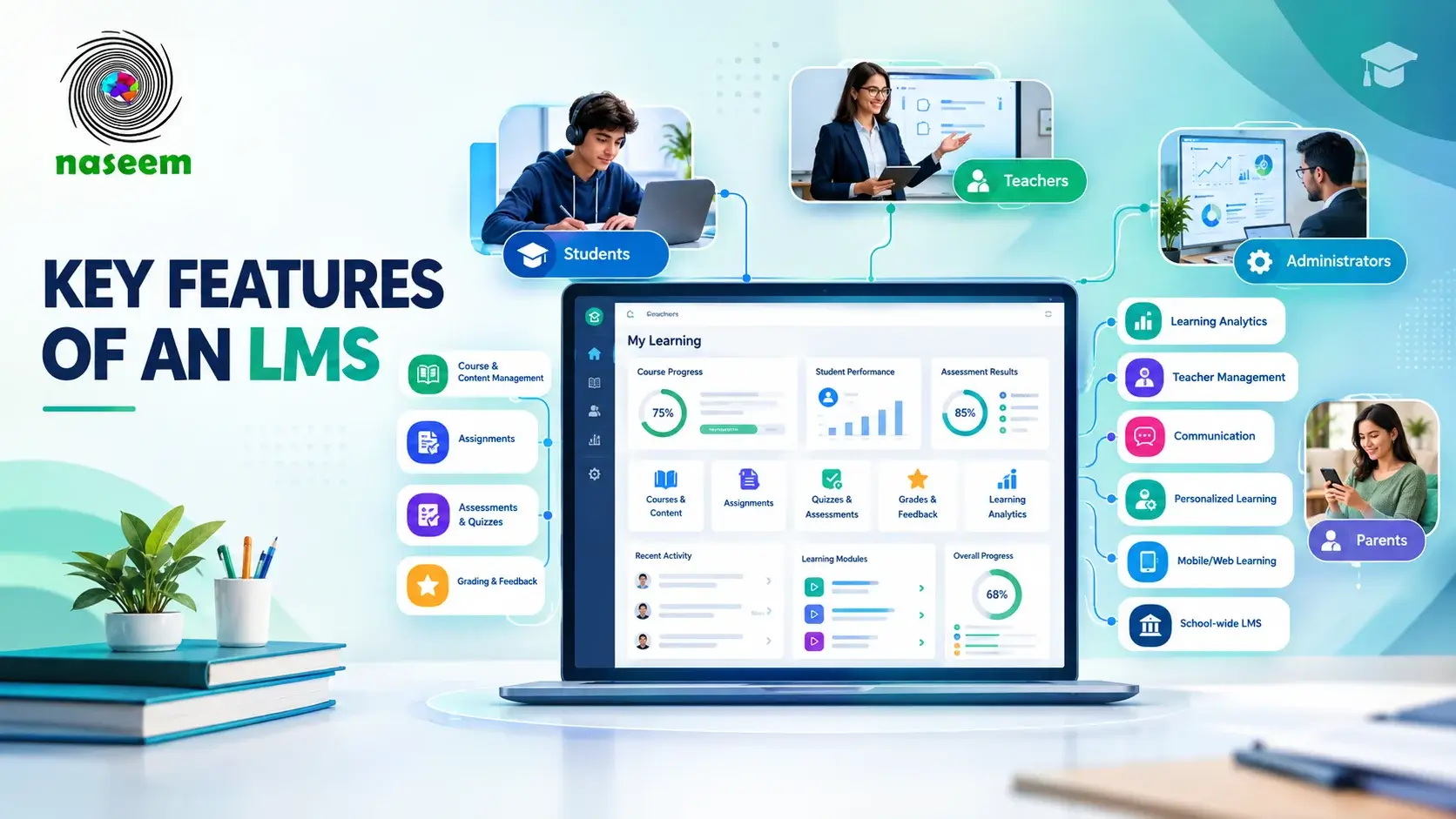
The most important LMS features typically include course and content management, online learning delivery, assignments, assessments, grading, progress tracking, reporting, user management, communication, mobile access, security, and analytics. More advanced platforms may also support personalized learning, gamification, multilingual learning, and broader school-community experiences.
In this guide, we’ll explore the key features of an LMS, explain why they matter, show how they serve different users, and provide a practical checklist for evaluating an LMS.
What Are LMS Features?
LMS features are the tools and capabilities built into a learning management system that allow an institution to create, manage, deliver, assess, monitor, and improve learning.
A typical learning management system software platform may combine course management, content delivery, assignments, assessments, grading, communication, learner progress tracking, and reporting in one centralized environment.
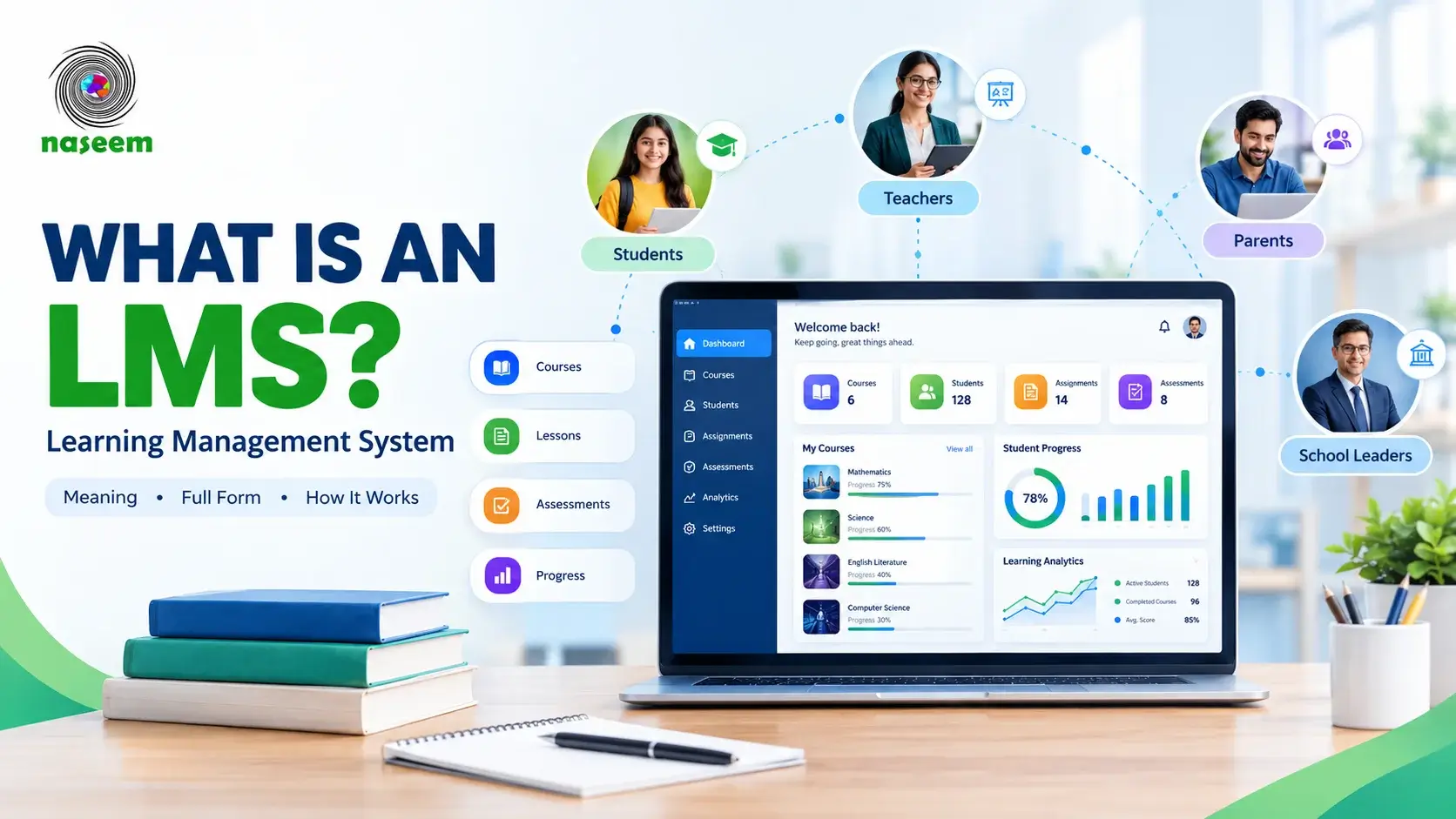
For example, Naseem Education's learning management system brings course management, online learning, assessments, student progress tracking, teacher management, parent engagement, analytics, personalized learning, gamified learning, and multilingual learning into one school-focused platform.
This is also why it is useful to distinguish between basic LMS functionality and advanced capabilities.
Basic LMS functionality
- Course creation
- Content delivery
- Assignments
- Assessments
- Grades
- Progress tracking
More comprehensive LMS capabilities
- Learning analytics
- Personalized learning
- Parent engagement
- Mobile learning
- Gamification
- Multilingual support
- Institutional reporting
- Integrations
- Advanced user management
The exact feature set varies between platforms, so schools should evaluate features according to their educational requirements rather than choosing an LMS simply because it has the longest feature list.
15 Key Features of a Learning Management System
1. Course and Content Management
Course management is one of the fundamental LMS system features.
An LMS should give educators and administrators a structured environment for creating and organizing courses, lessons, learning resources, and activities.
Instead of keeping educational materials across separate folders, drives, messaging applications, and physical documents, a centralized LMS can organize course-related information in one learning environment.
Depending on the platform, course management may include:
- Creating and organizing courses
- Adding lessons and modules
- Uploading learning resources
- Structuring course content
- Managing learning activities
- Updating course materials
- Organizing subjects and classes
- Connecting learning content with assessments
A well-designed course-management system should make the learning path clear to both educators and students.
For example, Naseem Education's course management tools are designed to organize learning content, activities, and assessments within a centralized course environment.
The goal is not simply to store content. It is to make that content easier to organize, access, teach, and learn.
2. Online Learning and Content Delivery
An LMS also acts as a central environment for online learning.
Students can access course materials, lessons, activities, assignments, and other learning resources through the platform instead of relying entirely on physical classroom materials.
Modern LMS platforms can support different forms of learning content, including:
- Text-based lessons
- Documents
- Presentations
- Videos
- Interactive activities
- Quizzes
- Assignments
- Learning modules
- Structured learning paths
For schools, the important consideration is whether the LMS can deliver learning content in a way that is simple for teachers to manage and easy for students to navigate.
Canvas by Instructure, for example, provides course creation and management capabilities alongside assignments, quizzes, grade management, communication, analytics, and mobile applications.
3. Assignments and Learning Activities
Another important LMS feature is assignment management.
Teachers need more than a place to publish lessons. They also need to give students opportunities to practice concepts, complete tasks, demonstrate understanding, and submit work.
An LMS can bring these activities into the same environment as the course content.
- Creating assignments
- Setting instructions
- Establishing deadlines
- Collecting submissions
- Reviewing student work
- Providing feedback
- Tracking completion
- Connecting activities with grades
This can make the learning process more structured because students can see what they need to complete and teachers can manage submissions from a centralized location.
4. Assessments, Quizzes, and Tests
Assessment functionality is another core component of modern learning management software.
An LMS can allow teachers to create quizzes, tests, examinations, and other assessment activities directly within the learning environment.
- Online quizzes
- Tests
- Question banks
- Multiple-choice questions
- Written responses
- Automated assessment
- Assessment results
- Grading workflows
- Performance reporting
The value of assessment tools goes beyond generating scores. A useful assessment system helps teachers understand whether students have understood the material and where additional instruction may be required.
For example, Naseem Education's LMS assessment tools include assessments, auto-grading, performance visibility, and feedback capabilities.
5. Grading and Feedback
Grades tell part of the story, but feedback helps students understand what those grades mean.
That makes grading and feedback an important part of LMS functionality.
- Review submissions
- Assign grades
- Add comments
- Provide feedback
- Track assessment results
- Monitor performance
- Identify areas for improvement
Some systems can also automate parts of the grading workflow.
For example, Canvas's Gradebook and SpeedGrader tools allow educators to manage grades, review submissions, and provide contextual feedback.
The important distinction is that automation should support the teacher's workflow rather than replace meaningful educational judgment.
6. Student Progress Tracking
LMS progress tracking allows educators and students to see how learning is progressing over time.
Instead of looking at individual grades in isolation, progress tracking can bring together information such as:
- Course completion
- Assignment completion
- Assessment performance
- Learning activity
- Participation
- Progress toward learning goals
- Areas requiring additional support
This is especially important in schools because a single grade may not explain why a student is struggling.
Progress information can help educators see these patterns more clearly.
Naseem Education's student progress tracking is designed to bring learning and performance information together so educators can identify progress, recognize areas of difficulty, and provide targeted support.
7. Learning Analytics and Reporting
As an LMS collects learning activity and performance information, learning analytics can turn that information into useful insights.
- Student performance reports
- Course activity
- Completion information
- Assessment results
- Engagement information
- Progress trends
- Class-level reporting
- School-level reporting
Teachers may use reports to identify students who need additional support. School leaders may use broader reporting to understand learning trends across classes, subjects, or departments.
For example, Canvas provides in-app reporting and analytics for course activity, student progress, and engagement trends.
Naseem Education's learning analytics similarly focuses on turning learning activity and performance information into insights for teachers and school leaders.
The best LMS reporting is therefore not simply about producing more charts. It is about producing information that can support better educational decisions.
8. User and Role Management
A school LMS may serve several different types of users.
At minimum, this can include students, teachers, administrators, and school leaders. Some school-focused systems also provide dedicated experiences for parents and academic coordinators.
User management helps ensure that each person sees the tools and information relevant to their role.
9. Teacher Management and Teaching Tools
An LMS should not be designed only around students.
Teachers are among the most important users of the platform, so teacher management tools should be evaluated carefully.
- Course management
- Lesson organization
- Assignment creation
- Assessment management
- Grading
- Feedback
- Student progress monitoring
- Learning analytics
- Communication tools
A good teacher experience should make common tasks easier rather than forcing educators to navigate unnecessary complexity.
For example, Naseem Education provides teacher-focused LMS tools for managing learning activities, assessments, student performance, and progress information.
10. Communication and Collaboration
Learning does not happen through content alone.
Students need to communicate with teachers, teachers need to share announcements and feedback, and schools may need to keep parents informed.
- Announcements
- Messaging
- Notifications
- Discussions
- Teacher-student communication
- Parent communication
- Collaboration tools
For schools, communication features can help reduce fragmentation by keeping learning-related communication closer to the learning environment.
11. Personalized Learning
Personalized learning is increasingly becoming an important advanced capability within modern education platforms.
A more personalized approach considers differences in learning pace, current performance, areas of difficulty, support requirements, and learning pathways.
Not every LMS offers the same level of personalization, so schools should examine exactly what a vendor means when it uses the term.
Naseem Education's personalized learning approach is designed around individual student needs, progress, pace, and performance.
12. Gamification and Learner Engagement
Gamification in an LMS uses elements such as progress indicators, achievements, challenges, rewards, or other engagement mechanisms to encourage participation.
- Learning streaks
- Achievement indicators
- Progress milestones
- Challenges
- Badges
- Rewards
- Completion indicators
Gamification should support the institution's teaching approach and encourage meaningful participation rather than simply adding decorative elements.
Naseem Education includes gamified learning experiences as part of its broader approach to student engagement and progress.
13. Mobile and Web Access
Students and teachers increasingly expect digital learning platforms to work across different devices.
That makes mobile LMS access and responsive web experiences important considerations.
- Desktop browsers
- Tablets
- Smartphones
- Mobile applications
- Responsive interfaces
- Learning outside the classroom
Schools should test the actual student and teacher workflows they expect to use.
Naseem Education's LMS also describes web-based learning access and mobile-friendly learning experiences.
14. Multilingual Learning
For schools serving students and families from different language backgrounds, multilingual LMS support can be an important consideration.
- Interface language options
- Multilingual learning environments
- Support for diverse school communities
- Content localization
- Language accessibility
Schools should still confirm which languages are supported and whether the language applies to the interface, content, user-generated material, or all of these.
15. Security, Permissions, and Data Management
Security should be considered a fundamental requirement when evaluating an LMS.
Schools may manage sensitive educational information through their learning platforms, including student profiles, course activity, assessment results, academic performance, user accounts, and learning records.
- User permissions
- Controlled access
- Account management
- Data handling
- Privacy practices
- Security policies
- Administrative controls
Rather than assuming that every LMS has the same security model, institutions should review the provider's actual documentation and policies.
Naseem Education's security information describes controlled user access, permissions, secure handling of learning information, and responsible data management. Its Terms & Conditions also contain sections covering privacy, student accounts, security, third-party services, and platform access.
Security should therefore be evaluated alongside functionality, not as an afterthought.
What Are the Most Important LMS Features for Different Users?
The definition of a "good LMS" changes depending on who is using it.
LMS Features for Students
- Course access
- Learning materials
- Assignments
- Assessments
- Feedback
- Progress tracking
- Communication
- Mobile access
- Personalized learning
- Engaging learning experiences
LMS Features for Teachers
- Course creation
- Content management
- Assignment management
- Assessments
- Grading
- Feedback
- Progress tracking
- Student analytics
- Communication tools
LMS Features for School Administrators
- User management
- Course oversight
- Reporting
- Analytics
- Permissions
- Institutional dashboards
- Performance monitoring
- School-level insights
LMS Features for Parents
- Student progress visibility
- Academic performance
- Assignment information
- Achievements
- Relevant notifications
- Communication with the school
Naseem Education's parent experience is designed to provide parents with visibility into relevant aspects of their child's learning progress, performance, achievements, and areas requiring support.
Essential vs. Advanced LMS Features
Not every LMS needs to offer every possible capability.
| Essential LMS Features | Advanced LMS Features |
|---|---|
| Course management | Personalized learning |
| Content delivery | Advanced analytics |
| Assignments | Gamification |
| Assessments | Advanced automation |
| Grading | Multilingual learning |
| Progress tracking | Advanced integrations |
| User management | Adaptive learning capabilities |
| Reporting | Institution-wide insights |
| Communication | Advanced engagement tools |
| Security and permissions | Specialized learning experiences |
This distinction matters because an institution may not need every advanced feature. The right LMS is therefore not necessarily the one with the most features. It is the one with the right features for the institution's actual learning requirements.
What Makes a Good LMS?
A long feature list does not automatically make an LMS effective.
A good learning management system should combine functionality with usability.
When evaluating an LMS, consider whether it is:
- Easy to use
- Useful for teachers
- Useful for students
- Accessible
- Scalable
- Secure
- Measurable
- Connected
Modern LMS platforms demonstrate how these capabilities can work together.
How These LMS Features Come Together in Naseem Education
The best way to understand LMS features is to see how they work together in a real educational environment.
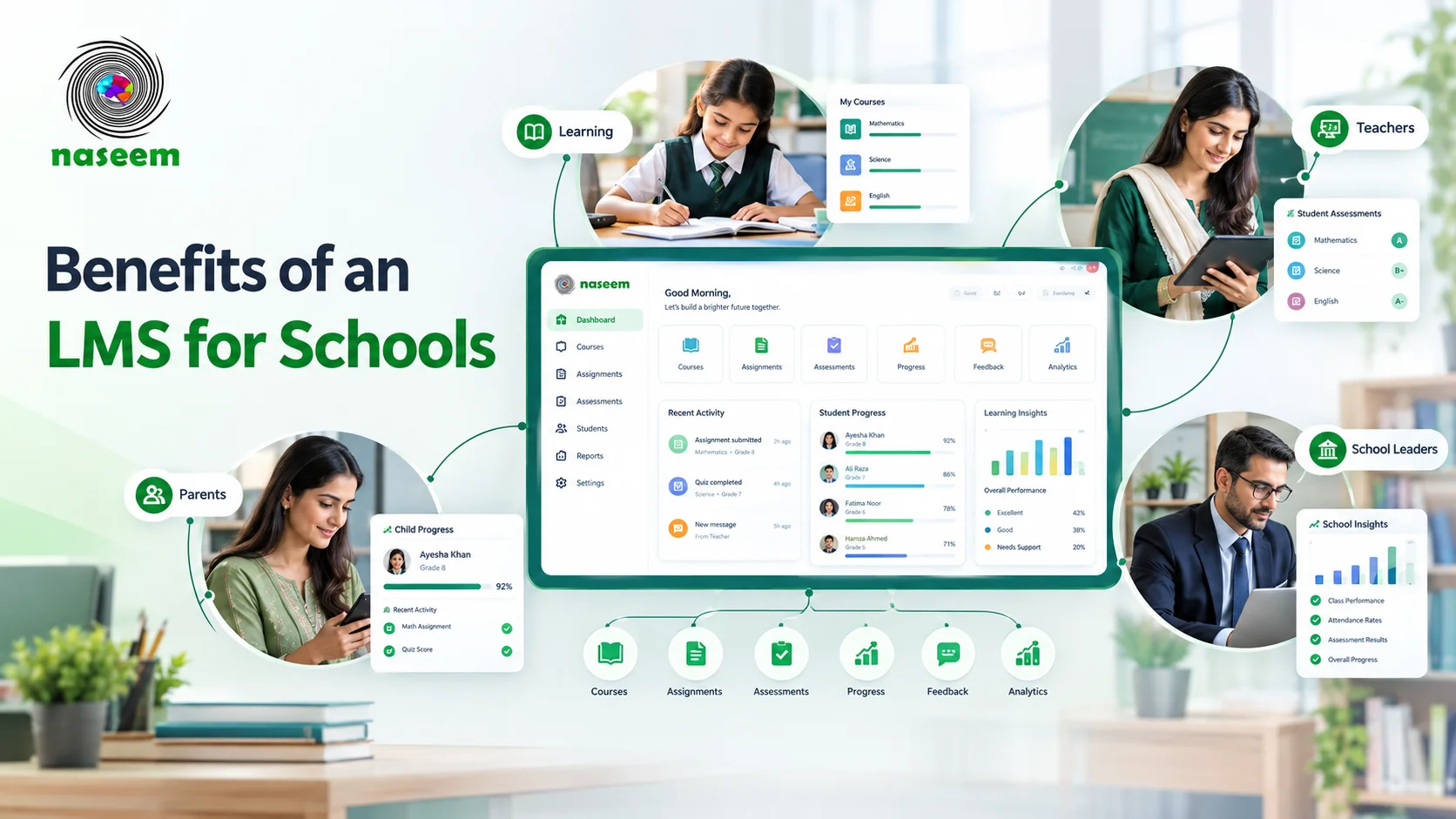
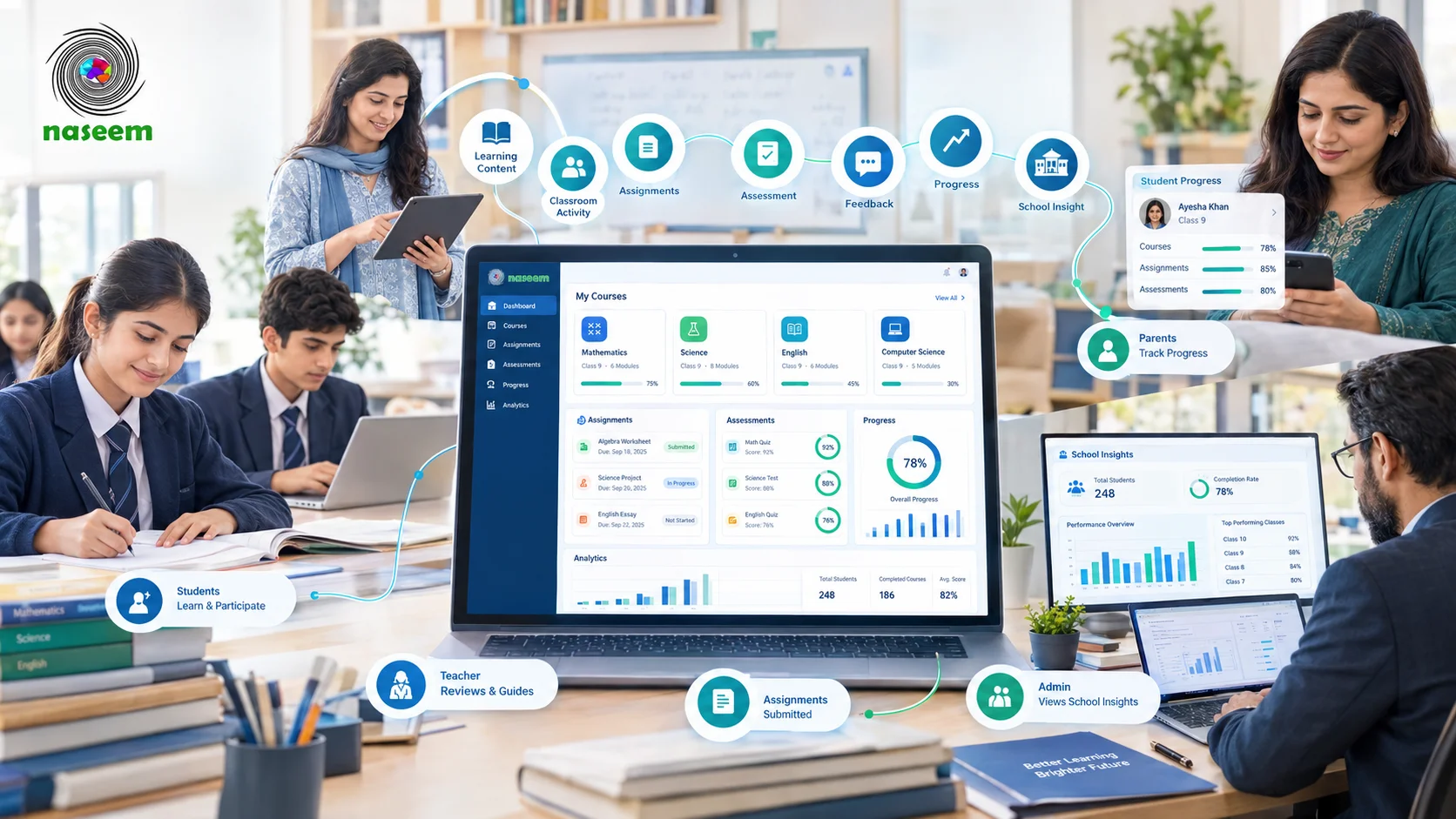
Naseem Education is a school-focused learning management platform designed to connect students, teachers, parents, and school leaders within one learning environment.
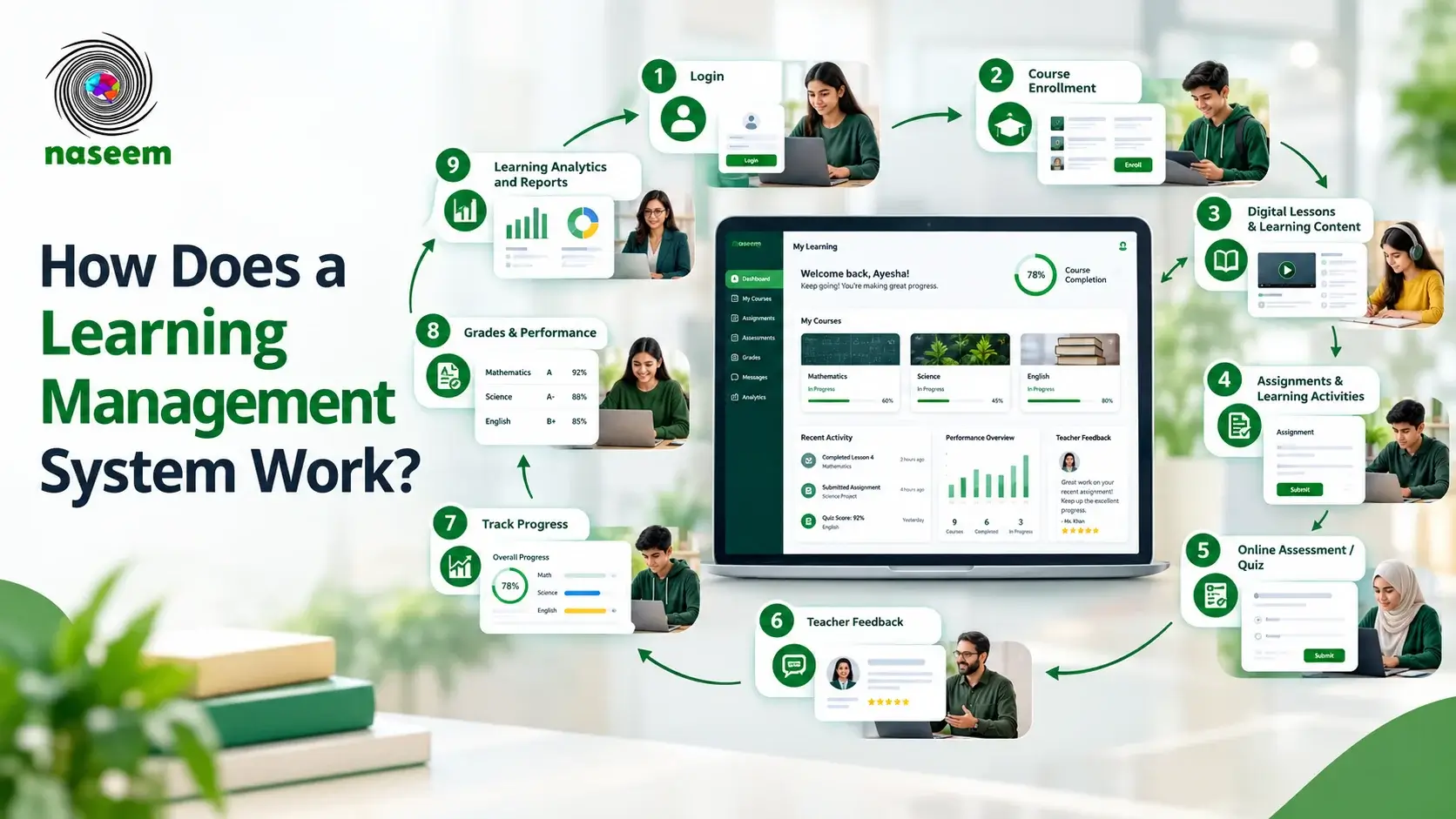
Its current LMS materials describe capabilities covering course management, online learning, assignments, assessments, auto-grading, progress tracking, teacher management, parent engagement, learning analytics, personalized learning, gamification, multilingual learning, and web/mobile access.
Instead of treating each feature as an isolated tool, the platform connects different parts of the learning journey.
For schools looking for a connected approach, Naseem Education's LMS brings learning management, assessments, progress tracking, teacher tools, parent visibility, analytics, personalized learning, and other educational capabilities into one school-focused platform.
How to Choose the Right LMS Based on Its Features
Choosing an LMS should begin with your institution's needs, not a vendor's feature list.
1. Identify Your Users
Start by determining who will use the platform: students, teachers, parents, or school administrators.
2. Define Your Learning Requirements
Identify what the LMS needs to support, such as online courses, assessments, grading, feedback, progress tracking, or parent engagement.
3. Evaluate Teacher Workflows
Ask teachers to test the platform and determine whether they can easily create a course, upload resources, create assignments, build assessments, grade student work, and check progress.
4. Check Progress Tracking and Reporting
Ask what information the LMS provides and whether it helps educators understand who is falling behind or who needs additional support.
5. Consider Accessibility and Device Support
Check the actual environments students use, including desktop, tablet, smartphone, browser, mobile application, and language requirements.
6. Review Security and Permissions
Ask the provider how user access, permissions, accounts, privacy, and educational information are managed.
7. Consider Scalability
Think beyond current requirements and ask whether the platform can support more students, teachers, courses, and future expansion.
8. Test the Platform Before Committing
Whenever possible, request a demonstration or trial. Do not evaluate an LMS only from a marketing page.
Ask actual teachers and students to perform real tasks and observe where they encounter friction.
If you want to evaluate the platform specifically, you can explore Naseem Education's LMS or contact the Naseem Education team to discuss institutional requirements.
For schools evaluating Naseem Education specifically, the Naseem Education contact and demo page provides a route for discussing institutional requirements with the team.
LMS Features Checklist
- Course management
- Content management
- Online learning delivery
- Assignments
- Learning activities
- Assessments
- Quizzes and tests
- Grading
- Feedback
- Student progress tracking
- Learning analytics
- Reporting
- User and role management
- Teacher management
- Communication
- Collaboration
- Personalized learning
- Gamification
- Mobile access
- Web access
- Multilingual support
- Security
- Permissions
- Scalability
- Integrations
You do not necessarily need every item. The purpose of this LMS features checklist is to help you identify which capabilities are essential for your specific institution.
LMS Features FAQ
This is a snapshot of the most common questions schools ask when comparing LMS features.
Final Thoughts: Which LMS Features Matter Most?
The most important LMS features are not necessarily the ones that make the longest product page.
A useful learning management system should make it easier to organize learning, deliver educational content, assess understanding, provide feedback, monitor progress, support teachers, and understand learning outcomes.
At a minimum, schools should carefully evaluate course management, content delivery, assignments, assessments, grading, progress tracking, reporting, user management, communication, and security.
Beyond those fundamentals, features such as personalized learning, gamification, multilingual support, mobile access, parent engagement, and advanced analytics can become important depending on the institution's goals.
Ultimately, the right LMS is the one that helps your institution teach more effectively, support learners more clearly, manage learning more efficiently, and make better-informed educational decisions.
Frequently Asked Questions About LMS Features
Ready to Bring Your School’s Learning Together?
Give your school a connected learning management system designed to support students, teachers, parents, and school leaders.