Learning Management System in Pakistan: Complete Guide for Schools
Schools in Pakistan are gradually moving from paper-based and disconnected digital processes toward more structured online learning environments. Course materials that once existed only in textbooks can now be delivered digitally. Assignments can be submitted online, assessments can be managed through software, and teachers can use student performance data to understand where additional support is needed.
A learning management system in Pakistan gives schools a structured way to bring these activities together.
But choosing an LMS is not simply a matter of finding software with the largest feature list. A school needs to consider its curriculum, teachers, students, parents, internet connectivity, available devices, budget, data security and long-term plans for digital learning.
Pakistan's education system also has very different technology conditions from one school or region to another. The latest Pakistan Education Statistics publication includes separate indicators for schools' ICT facilities for online teaching and for students' pedagogical use, showing why infrastructure needs to be considered when schools plan digital learning.
This guide explains what an LMS means for Pakistani schools, what it should provide, how schools can evaluate different platforms, what implementation involves, and what to consider before adopting one.
What Is a Learning Management System in Pakistan?
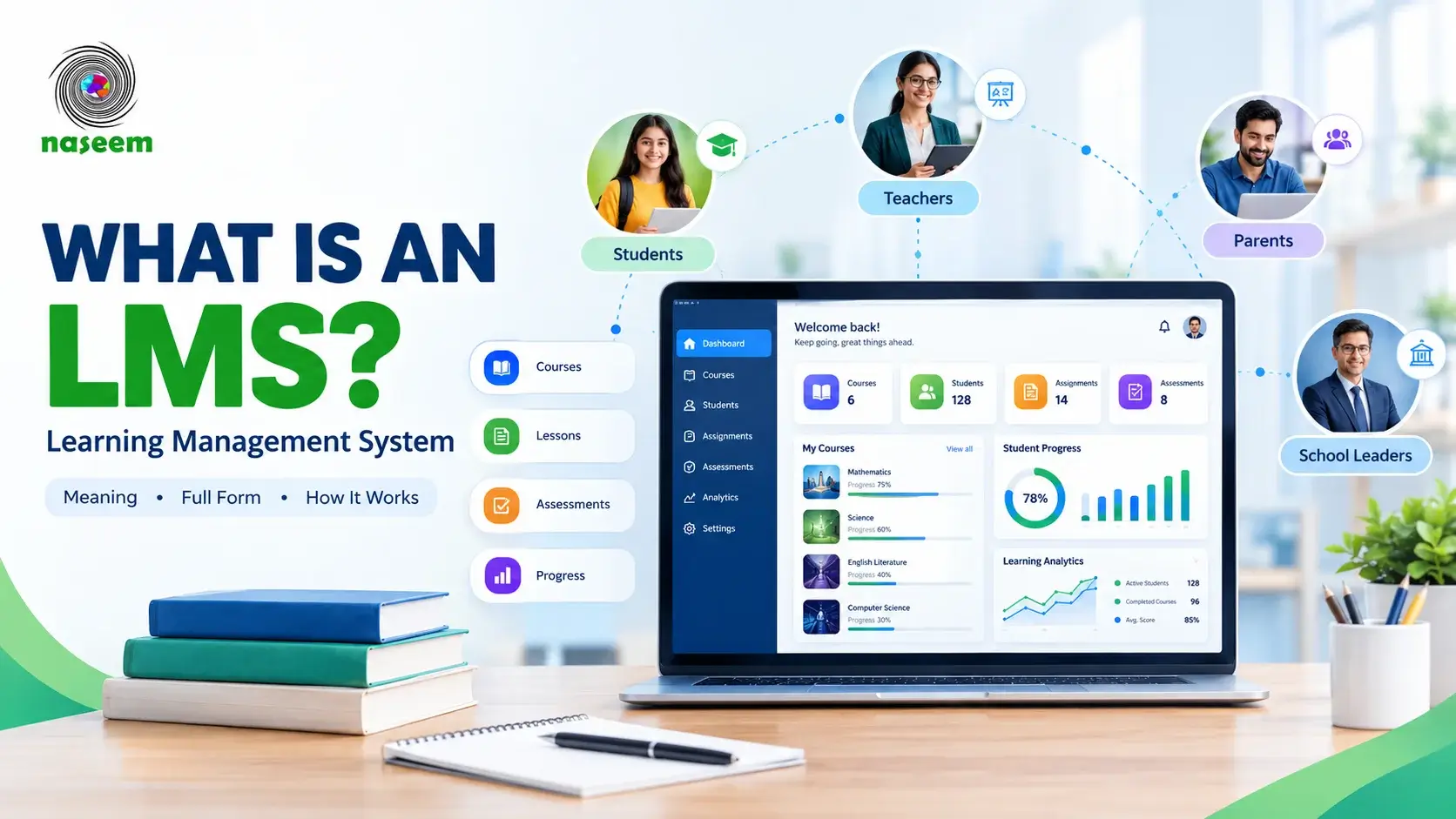
A Learning Management System, or LMS, is software that helps an educational institution organize, deliver, manage and monitor learning through a centralized digital environment.
A modern Learning Management System can bring together courses, lessons, learning materials, assignments, assessments, feedback, progress tracking and reporting.
For a school, this means that learning does not have to be spread across unrelated tools.
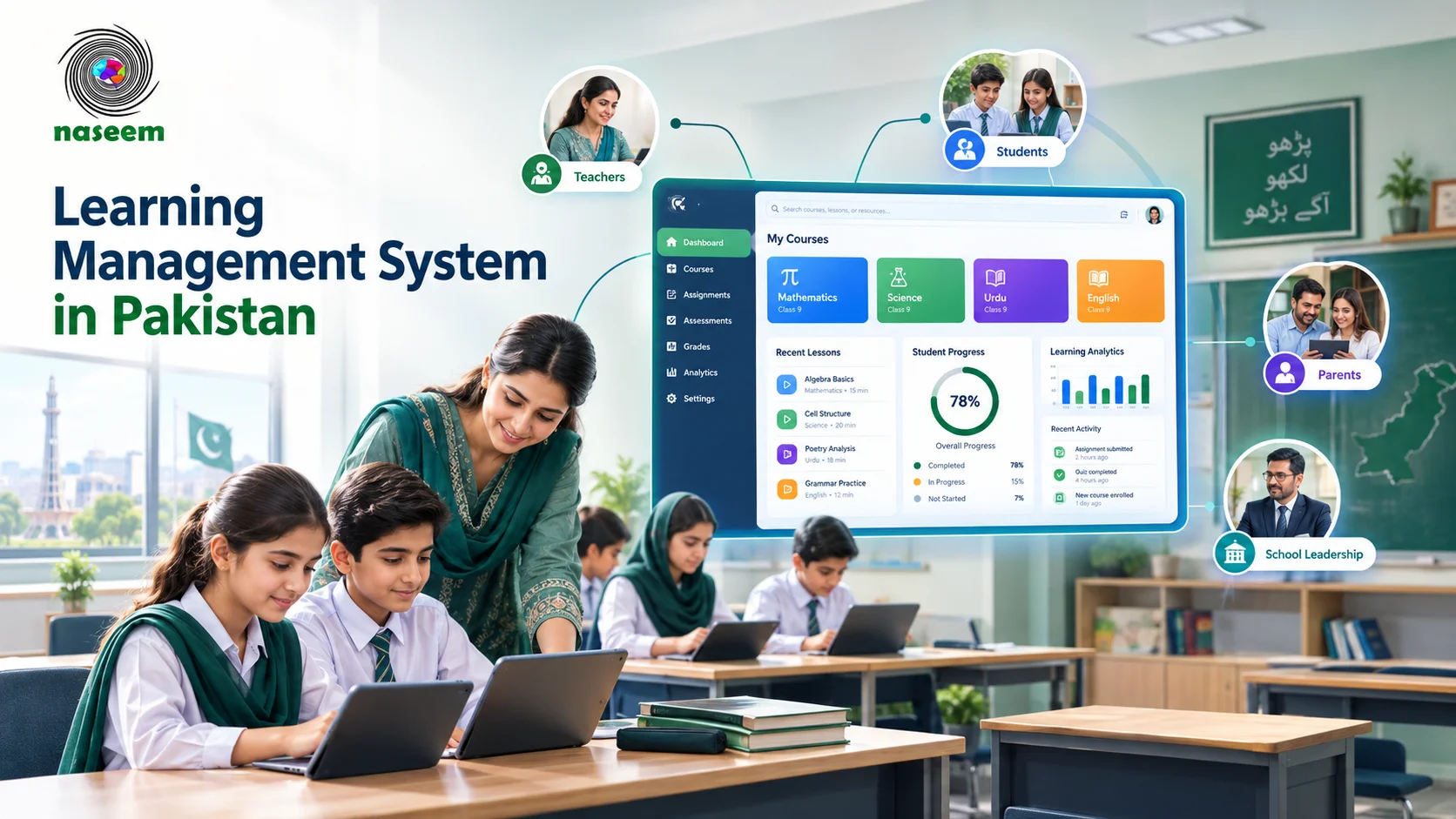
A teacher can organize a course, provide learning material, assign work, assess students and review their progress from a connected environment. Students can access their courses and activities, while parents and school leaders can receive appropriate visibility into academic progress.
The exact capabilities vary between platforms, so an LMS should be judged according to what a particular school needs rather than by the name of the software alone.
LMS in Pakistan: What Does It Mean for Schools?
The phrase LMS in Pakistan does not refer to a separate type of software. It refers to the use of learning management system technology within the local education environment.
That local context matters.
A school may have:
- Reliable broadband and computer labs
- Students who primarily use smartphones
- Limited access to personal computers
- Teachers with different levels of digital experience
- Multiple campuses
- Parents who need academic visibility
- A mixture of classroom and online learning
An LMS therefore needs to fit the school's actual circumstances.
A platform that works well in a school with strong infrastructure and full-time IT support may not be the right choice for a school with limited connectivity and fewer technical resources.
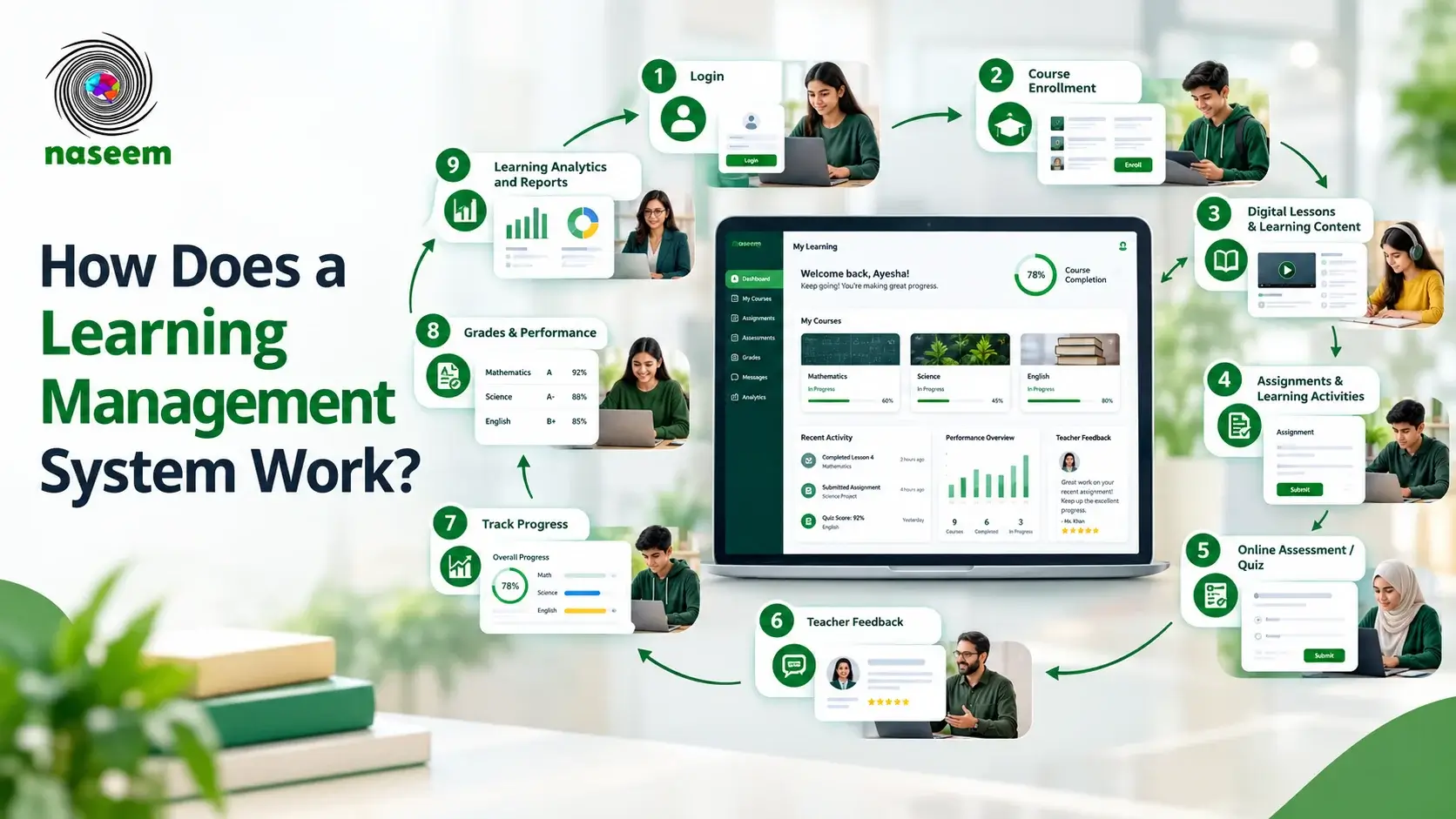
For a broader explanation of the concept itself, see the guide to what an LMS is and how a Learning Management System works.
Why Are Pakistani Schools Adopting Learning Management Systems?
The case for an LMS is different for every school. Some schools want to organize digital learning. Others want better assessment workflows, clearer student progress information, or a central place for teachers and students to work.
The common factor is the need for a more organized learning environment.
Moving Beyond Paper-Based Learning
Paper remains an important part of education, but relying entirely on physical material makes it harder to organize digital resources and track learning activity.
A school may have worksheets stored in classrooms, assignments submitted on paper, examination results maintained in spreadsheets and additional material shared through messaging applications.
These approaches can work at a small scale, but become harder to manage as the number of classes, subjects and students increases.
An LMS gives schools a central location for digital learning material and academic activities.
Teachers can organize resources by subject or course. Students can return to previous material when needed. Assignments and assessments can be associated with the relevant course rather than being managed separately.
Supporting Learning Beyond the Classroom
Learning does not stop when the school day ends.
Students may need to:
- Review a lesson
- Complete homework
- Prepare for an assessment
- Catch up after missing a class
- Practice a difficult concept
- Access additional learning resources
An online learning management system gives schools a way to extend parts of the learning experience beyond the physical classroom.
This does not mean that an LMS replaces teachers or classroom instruction. Its role is to give teachers and students another structured environment through which learning can continue.
Organizing Courses and Subjects
Schools manage large amounts of academic information.
A single institution may have dozens of subjects across several grades and sections. Without a central structure, finding the correct material can become difficult for both teachers and students.
A school LMS can organize learning according to:
- Grade
- Class
- Subject
- Course
- Lesson
- Assignment
- Assessment
That structure becomes increasingly useful as a school expands its digital learning programme.
Giving Teachers Better Visibility
Teachers need more than a place to upload files.
They need to know:
- Which students completed an assignment
- How students performed in an assessment
- Which topics caused difficulty
- Which students may require additional support
- How individual learners are progressing
This is where an LMS can become more useful than a basic file-sharing system.
When course activity, assessments and progress information are connected, teachers can use the available information to support their classroom decisions.
Keeping Parents Connected to Learning
Parents traditionally receive academic information through report cards, meetings, notices and direct communication with the school.
A school LMS can provide another layer of visibility.
Depending on the platform and the school's policies, parents may be able to view relevant information such as:
- Learning progress
- Assessment performance
- Assignments
- Achievements
- Areas that require attention
The objective should be useful academic visibility rather than simply sending parents more notifications.
The Digital Learning Landscape in Pakistan
A school LMS in Pakistan has to operate within the realities of the country's education system.
Technology access is not uniform across the country. Schools differ in their connectivity, electricity, hardware, teacher capacity and access to technical support.
The Pakistan Institute of Education's Pakistan Education Statistics 2023–24 includes indicators covering ICT facilities for online teaching and ICT facilities available to students for pedagogical purposes.
That makes infrastructure an important part of any LMS decision.
Connectivity Cannot Be an Afterthought
An LMS depends on technology, but the technology environment varies considerably between schools.
Before choosing a platform, a school should consider:
- Internet reliability
- Available bandwidth
- Number of connected devices
- Computer lab availability
- Smartphone access
- Browser compatibility
- Mobile responsiveness
- Whether learning can continue during connectivity problems
A school should test these conditions before rolling out an LMS to the entire student population.
Digital Learning Is Already Part of Pakistan's Education Efforts
Pakistan's public education initiatives have also included digital learning infrastructure.
The Ministry of Federal Education and Professional Training describes the eTaleem Portal as having been expanded into an LMS environment for in-school students, out-of-school children and teacher training. The ministry also reports offline LMS modules for AJK and Gilgit-Baltistan to address low-connectivity conditions.
This is a useful reminder for schools: digital education does not begin and end with putting textbooks online. Connectivity, teacher training, content, assessment and delivery methods all affect whether a digital learning system is useful.
UNESCO has also documented digital education projects in Pakistan. Its Taleemabad case study describes a pilot involving digital learning management infrastructure in primary schools and specifically identifies technology infrastructure as a factor affecting implementation.
What Should a Learning Management System for Schools Include?
A good LMS should be evaluated according to how its capabilities support teaching and learning.
The most important question is not, "How many features does it have?"
It is:
Can the platform help the school manage learning more effectively?
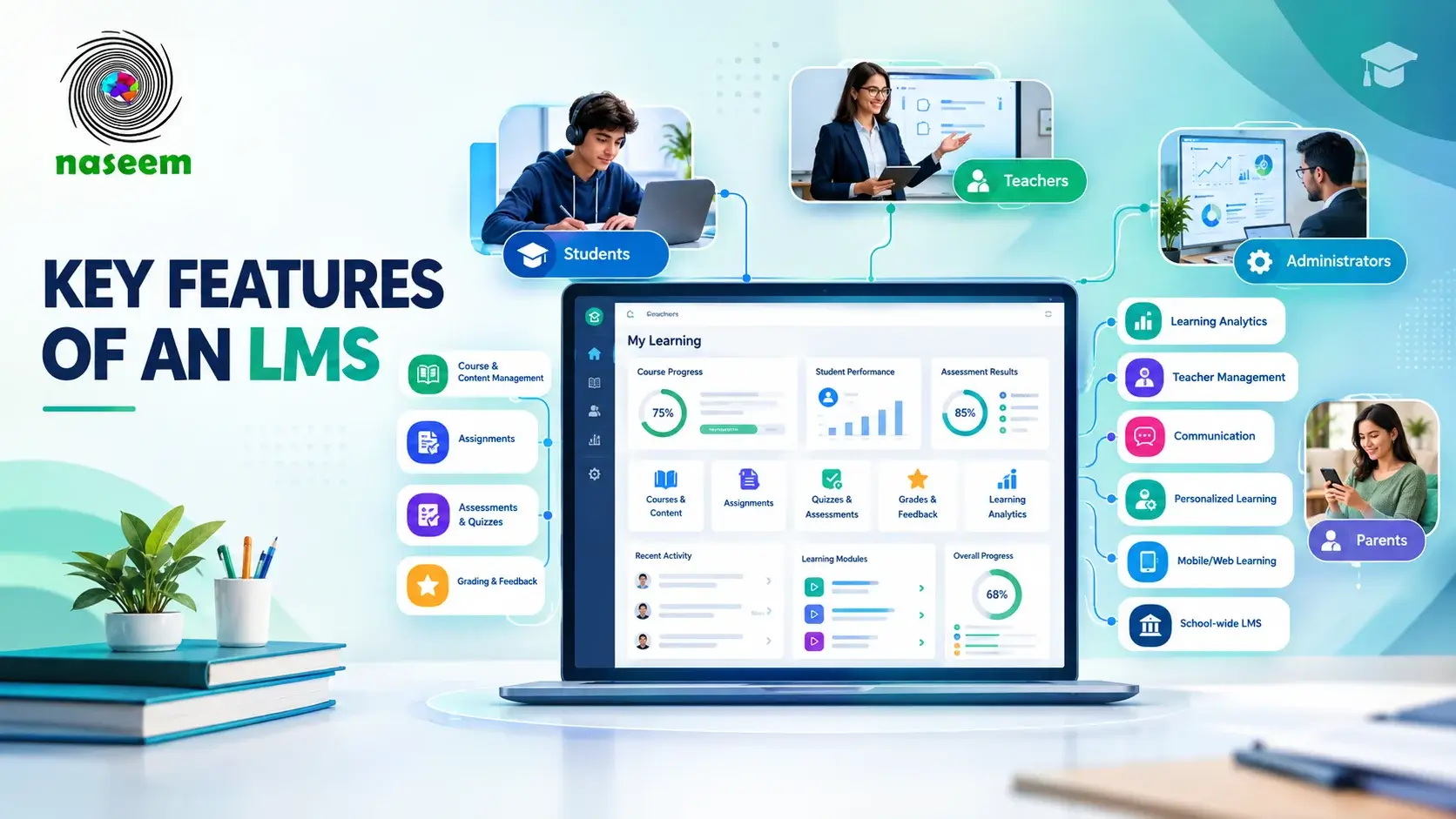
Course and Lesson Management
The LMS should provide a structured environment for creating and organizing courses.
Teachers should be able to organize:
- Subjects
- Lessons
- Learning resources
- Activities
- Assignments
- Assessments
Students should then have a clear path through the material relevant to their class.
For a detailed breakdown, see the guide to key LMS features for schools.
Assignments and Learning Activities
Assignments allow teachers to move learning beyond passive content consumption.
An LMS may allow teachers to:
- Create assignments
- Set deadlines
- Receive submissions
- Review student work
- Provide feedback
- Track completion
The exact workflow varies between platforms, so schools should test the assignment process before adoption.
Assessments and Grading
Assessment is one of the most important parts of school learning.
A useful LMS can support:
- Quizzes
- Tests
- Formative assessments
- Summative assessments
- Automated grading where appropriate
- Teacher grading
- Feedback
- Performance records
Assessment data becomes more useful when it remains connected to the course and student rather than existing as a separate record.
Student Progress Tracking
A student receiving a grade is only one part of the learning picture.
Progress tracking can help teachers understand:
- What a student has completed
- How the student is performing
- Where difficulties are appearing
- Whether progress is improving
- Where additional support may be needed
Schools should therefore look beyond simple percentage scores when evaluating LMS software for schools.
Teacher Management
Teachers are the people who ultimately determine how useful an LMS becomes.
The platform should make common tasks practical rather than creating additional administrative work.
A teacher may need to:
- Manage courses
- Upload resources
- Create assignments
- Assess students
- Review performance
- Provide feedback
- Monitor progress
If these processes are difficult, adoption can suffer even when the software has extensive capabilities.
Parent Engagement
Parents should have access to relevant information without being overwhelmed by the platform.
Depending on the school's model, useful parent visibility can include:
- Academic progress
- Assessment performance
- Achievements
- Assignments
- Areas needing attention
Schools should define exactly what parents can access before implementation.
Learning Analytics
Analytics can help schools move from simply collecting academic information to using it.
Teachers may use analytics to identify individual learning gaps.
Academic coordinators may examine class performance.
School leaders may look for broader patterns across grades, subjects or campuses.
The value comes from the decisions that follow the data, not from the dashboard itself.
Mobile and Web Access
Mobile accessibility is particularly relevant when students do not have continuous access to desktop computers.
A school should test its chosen LMS on the devices students actually use rather than assuming that a desktop interface will automatically provide a good mobile experience.
LMS vs School Management System in Pakistan
The terms LMS and school management system are sometimes used interchangeably, but they usually describe different areas of school technology.
An LMS focuses primarily on learning.
A broader school management system may handle administrative operations such as:
- Admissions
- Student records
- Attendance
- Fees
- Staff management
- Administrative reporting
An LMS generally focuses more on:
- Courses
- Lessons
- Learning content
- Assignments
- Assessments
- Student progress
- Feedback
- Learning analytics
Some platforms combine learning and administrative capabilities.
For a school evaluating software, the first question should therefore be:
What problem are we trying to solve?
If the primary requirement is digital teaching, course delivery and academic progress, an LMS may be appropriate.
If the school needs a complete administrative platform, it may require a broader school management solution or an integrated system.
How to Choose the Best LMS for a School in Pakistan
There is no single best LMS for schools in Pakistan for every institution.
The right choice depends on the school's size, learning model, technology infrastructure, staff, students and budget.
Instead of choosing based on a feature list, use the following evaluation framework.
1. Define Your School's Requirements
Start before contacting LMS providers.
Document:
- Number of students
- Number of teachers
- Grades
- Subjects
- Campuses
- Current learning tools
- Assessment process
- Parent requirements
- Reporting requirements
- Technology infrastructure
This gives the school a baseline against which different platforms can be evaluated.
2. Evaluate the Teacher Experience
Ask teachers to test the platform.
Can they easily:
- Create a course?
- Upload a lesson?
- Create an assignment?
- Grade work?
- Review progress?
- Give feedback?
A platform may look impressive to administrators while being difficult for teachers to use every day.
3. Test the Student Experience
Students should be able to understand the platform without spending excessive time learning the software itself.
Test:
- Login
- Course navigation
- Lesson access
- Assignment submission
- Assessment completion
- Feedback
- Progress tracking
- Mobile access
4. Check Parent Access
If parent engagement is one of the school's goals, determine exactly what parents can see.
Ask:
- Can parents see academic progress?
- Can they review assessment results?
- Can they see relevant assignments?
- Can access be restricted to their own child?
- Can the school control permissions?
5. Review Security and Permissions
Schools handle student and academic information, so access control matters.
Before selecting LMS software in Pakistan, ask the provider about:
- User permissions
- Account security
- Data handling
- Administrative access
- Student information
- Privacy policies
- Data retention
- Security practices
Do not accept a vague "secure" claim as sufficient. Ask what security controls actually exist.
6. Consider Scalability
A school may begin with one grade and eventually expand the platform across the institution.
Consider whether the system can support:
- More students
- More teachers
- More courses
- Multiple grades
- Multiple campuses
- Additional academic workflows
7. Evaluate Training and Support
Technology adoption requires people.
Ask whether the provider offers:
- Teacher onboarding
- Administrator training
- Documentation
- Technical support
- Implementation assistance
- Ongoing support
A technically capable platform can still fail to deliver value if users do not know how to use it.
How Much Does an LMS Cost in Pakistan?
The cost of an LMS varies considerably because providers use different pricing models.
Some may charge according to the number of users. Others may offer school-level plans or customized pricing.
Rather than relying on an unsupported average LMS price in Pakistan, schools should identify the total cost of implementation.
Potential cost factors include:
- Number of students
- Number of teachers
- Number of administrators
- Number of campuses
- Storage
- Additional modules
- Integrations
- Implementation
- Data migration
- Training
- Technical support
- Custom development
A school should ask for the complete cost rather than comparing only the headline subscription price.
Questions to Ask an LMS Provider About Pricing
Before signing an agreement, ask:
- Is pricing based on students, teachers or total users?
- Are administrators included?
- Is parent access included?
- Are implementation costs separate?
- Is teacher training included?
- Are integrations charged separately?
- Are there limits on storage?
- Is technical support included?
- Does the price change as student numbers increase?
- What happens if the school adds another campus?
This gives the school a clearer picture of the actual investment.
How to Implement an LMS in a Pakistani School
Buying an LMS is only the beginning.
Successful implementation requires a plan for people, content, technology and daily academic workflows.
For a deeper explanation of LMS workflows, see how a Learning Management System works.
For implementation specifically, schools can use the following sequence.
Step 1: Identify the School's Requirements
Decide what the school wants the LMS to improve.
For example:
- Digital course delivery
- Assignments
- Assessments
- Progress tracking
- Parent visibility
- Teacher workflows
- Academic reporting
Do not attempt to digitize every process at once without a clear reason.
Step 2: Select the Platform
Compare shortlisted platforms against the requirements defined by the school.
Include teachers and academic coordinators in the evaluation instead of leaving the decision entirely to the IT department.
Step 3: Configure the Learning Environment
Set up:
- School information
- Grades
- Classes
- Subjects
- Teachers
- Students
- Parents
- Permissions
The structure should reflect how the school actually operates.
Step 4: Prepare Courses and Content
Digital learning requires more than uploading a PDF.
Schools should organize content into usable learning sequences.
A course might contain:
- Lesson
- Learning material
- Activity
- Practice
- Assessment
- Feedback
Step 5: Train Teachers
Teachers need practical training based on their daily responsibilities.
Training should cover the tasks they will actually perform rather than providing a general tour of every feature.
Step 6: Introduce Students
Students should receive clear instructions about:
- Logging in
- Finding courses
- Completing activities
- Submitting assignments
- Taking assessments
- Checking feedback
Step 7: Connect Parents
If parent access is part of the school's LMS strategy, explain:
- What parents can see
- How they access it
- How academic information should be interpreted
- Where they can ask for support
Step 8: Start With a Pilot
A pilot can expose problems before the entire school depends on the platform.
A school might begin with:
- One grade
- A small group of teachers
- Selected subjects
- A limited number of students
Feedback from the pilot can then guide the wider rollout.
Step 9: Measure Adoption
After launch, monitor:
- Teacher usage
- Student participation
- Assignment completion
- Assessment activity
- Parent engagement
- Support requests
The objective is to identify what is working and where users need help.
Common Challenges of Implementing an LMS in Pakistan
A realistic LMS strategy should account for implementation problems before they occur.
Internet Connectivity
A platform that depends on continuous high-speed internet may create problems for schools or students with unreliable connections.
Schools should test the platform under their actual connectivity conditions.
Pakistan's official digital education initiatives have recognized this issue. The Ministry of Federal Education and Professional Training specifically describes offline LMS modules for AJK and GB as part of its eTaleem work.
Limited Access to Devices
Not every student necessarily has a personal computer.
Some may use:
- Smartphones
- Shared family devices
- School computers
- Tablets
The school should understand its students' actual device environment before setting digital learning requirements.
Teacher Training
An LMS does not automatically improve teaching.
Teachers need time to learn the platform and adapt existing classroom practices.
Training should therefore be treated as part of implementation rather than an optional extra.
Resistance to New Workflows
Teachers and administrators who are comfortable with existing processes may initially find a new system inconvenient.
The school can reduce this problem by:
- Starting with clear use cases
- Providing training
- Allowing a transition period
- Listening to teacher feedback
- Removing unnecessary processes
Digital Content Quality
Uploading existing documents does not automatically create good digital learning.
Schools should review whether their material is:
- Easy to navigate
- Appropriate for the student's age
- Clearly organized
- Accessible on available devices
- Supported by activities and assessment
Parent and Student Adoption
Parents and students also need clear guidance.
A school should not assume that everyone will immediately understand how to use a new learning environment.
Data and Account Security
Schools need policies covering user accounts, permissions and academic information.
The provider should clearly explain how school and student information is handled.
Public and Private Schools May Have Different LMS Priorities
The phrase LMS for schools in Pakistan covers institutions with very different needs.
A private school with several campuses may prioritize centralized academic reporting, parent visibility and consistent learning workflows.
A public or resource-constrained school may place greater emphasis on affordability, connectivity, teacher training, accessible content and the ability to work under limited infrastructure.
Neither requirement is inherently more important.
The right LMS is the one that matches the school's environment.
Pakistan's digital education policies also show that technology adoption is being considered across different parts of the education system. UNESCO's Pakistan education technology profile documents national and provincial initiatives involving ICT infrastructure, digital content, distance learning and LMS-based learning.
How Naseem Education Fits Into the LMS Landscape in Pakistan
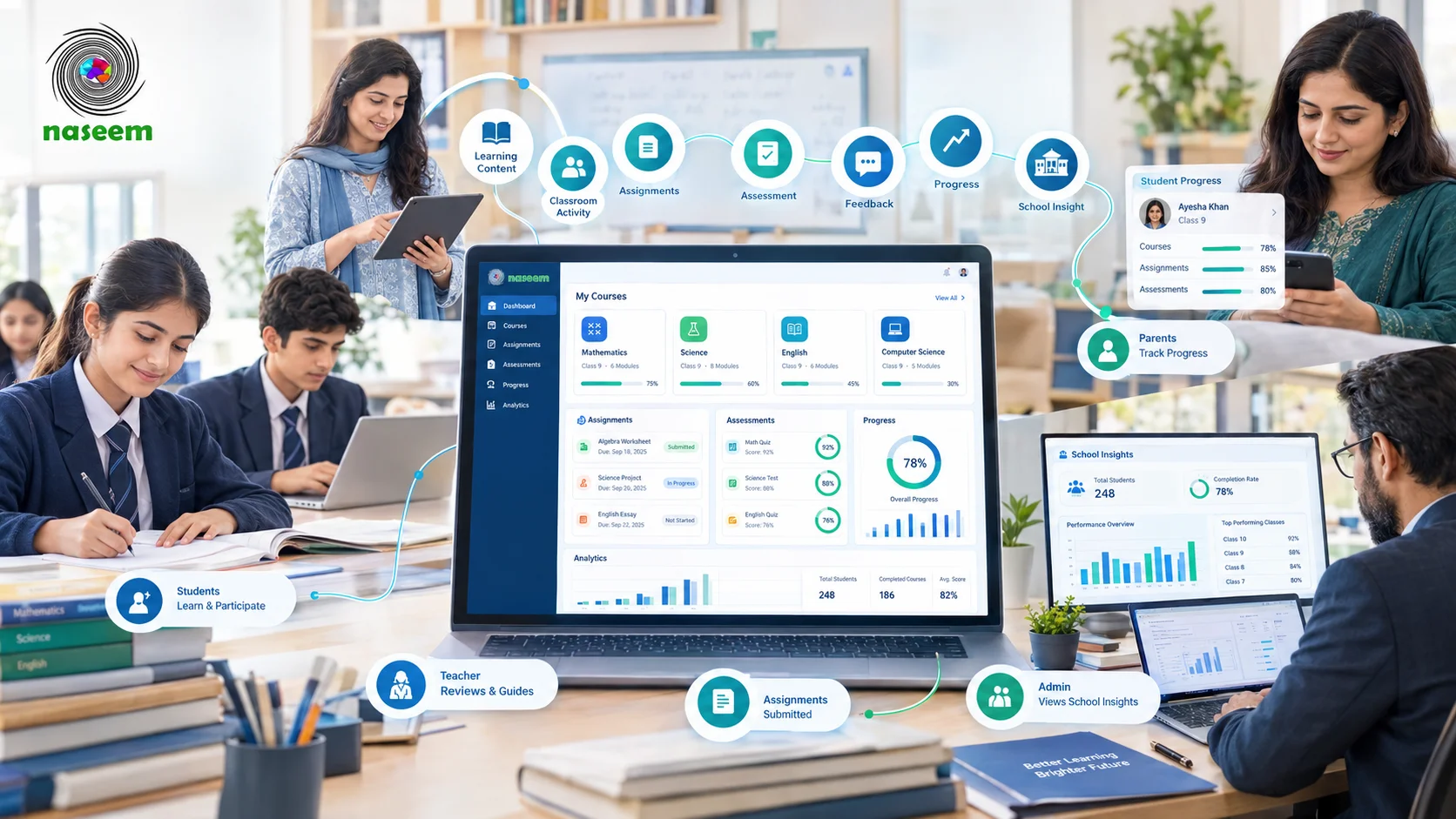
For schools looking for a platform that brings learning activities, assessments, progress tracking and the wider school learning community into one environment, Naseem Education's Learning Management System is one option to evaluate.
Naseem Education describes its platform as a centralized LMS for schools, bringing together courses, learning activities, assessments, student progress, teacher workflows, parent visibility and school-level learning insights.
A Learning Environment Built Around Schools
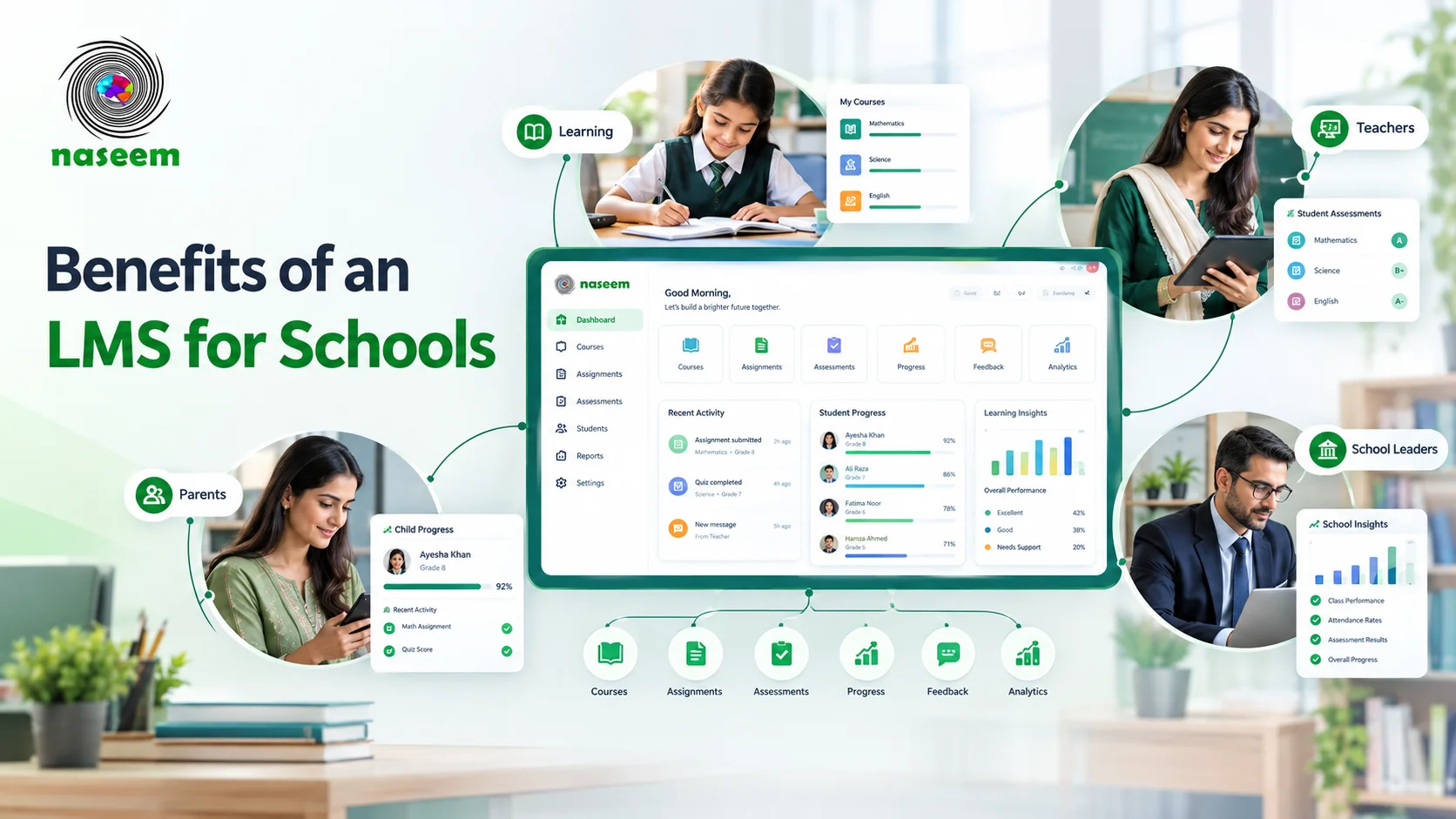
The platform is designed around four main groups:
- Students
- Teachers
- Parents
- School leaders
This matters because a school LMS is rarely used by students alone.
Teachers need tools for teaching and assessment. Parents need appropriate visibility. School leaders need broader academic information.
Course and Learning Management
Naseem Education provides a centralized environment for organizing course content and learning activities.
This can help schools keep related learning resources, activities and assessments together rather than distributing them across unrelated systems.
Assessments and Student Progress
The platform includes assessment and progress-tracking capabilities, including auto-grading and feedback features.
For teachers, this can provide a more connected view of student activity and performance.
Teacher Tools
Naseem Education provides teachers with tools for managing learning activities, assessments and student performance.
The platform also emphasizes identifying learning gaps and using student information to support more targeted teaching.
Parent Visibility
Parents can receive visibility into relevant parts of their child's learning journey, including progress, performance, achievements and areas requiring attention.
This gives schools another way to keep families connected to academic progress.
Learning Analytics
The platform also includes learning analytics intended for teachers and school leaders.
For teachers, this can help with understanding individual performance. For school leaders, broader information can help identify trends across the institution.
Personalized Learning
Naseem Education also places emphasis on personalized learning, using student progress and performance information to support different learning needs and learning pace.
Web and Mobile Access
Naseem Education provides web-based access and a mobile-friendly learning experience, allowing students and educators to access the learning environment through modern devices.
Schools should still test the platform against their own devices and connectivity conditions before implementation.
Multilingual Learning
Naseem Education states that its learning environment is designed to support more than 20 languages.
For schools serving linguistically diverse communities, multilingual capability can be an important factor to investigate during evaluation.
Is an LMS Worth It for Pakistani Schools?
An LMS can be worthwhile when it solves a real school problem.
It may be a good fit when a school wants to:
- Centralize digital learning
- Organize courses and resources
- Manage online assignments
- Improve assessment workflows
- Track student progress
- Give teachers better academic visibility
- Connect parents with relevant learning information
- Support blended learning
- Use learning data for academic decisions
But an LMS is not a substitute for good teaching.
A school with poor connectivity, insufficient teacher training or no digital content strategy may need to address those issues alongside the technology.
The platform should support the school's educational model rather than forcing the school to reorganize everything around the software.
LMS Implementation Checklist for Pakistani Schools
Before launching an LMS, school administrators can use this checklist.
Academic Preparation
- School learning objectives are defined
- Grades and subjects are mapped
- Digital learning material is prepared
- Assessment requirements are documented
- Course structure has been decided
Teacher Preparation
- Teacher accounts are created
- Teachers have received practical training
- Course creation has been tested
- Assignment workflows have been tested
- Assessment workflows have been tested
Student Preparation
- Student accounts are ready
- Device access has been assessed
- Login instructions are available
- Course navigation has been tested
- Assignment submission has been tested
Parent Preparation
- Parent access requirements are defined
- Permissions are configured
- Parents understand what information they can access
- Support channels are available
Technology Preparation
- Internet connectivity has been tested
- Mobile access has been tested
- School devices have been checked
- Browser compatibility has been checked
- Support procedures are established
Administration
- User roles are configured
- Access permissions are reviewed
- Privacy requirements are documented
- Data handling has been reviewed
- Pilot implementation has been completed
Choosing the Right Learning Management System for Your School
Choosing an LMS software for schools is ultimately a decision about how a school wants teaching and learning to work.
The right platform should fit the school's:
- Curriculum
- Teachers
- Students
- Parents
- Infrastructure
- Budget
- Assessment process
- Digital learning goals
- Future growth
Schools should also remember that successful LMS adoption is not achieved by purchasing software alone. Teachers need support, students need clear workflows, parents need appropriate access, and school leaders need a plan for using learning information responsibly.
Pakistan's education technology landscape is developing in this direction, but the country's differences in infrastructure and access make local requirements especially important. National digital education initiatives, provincial technology plans and school-level projects all point toward a growing role for technology in teaching and learning, while also showing that connectivity and implementation capacity cannot be ignored.
For schools that want to evaluate a platform built around students, teachers, parents and school leaders, Naseem Education's LMS provides one option to consider. Its platform brings courses, assessments, progress tracking, teacher tools, parent visibility, learning analytics and personalized learning into one school-focused environment.
The best LMS is therefore not necessarily the one with the longest feature list. It is the one that teachers can use, students can access, parents can understand, school leaders can manage, and the institution can sustain over time.
Frequently Asked Questions About LMS in Pakistan
Ready to Bring Your School’s Learning Together?
Give your school a connected learning management system designed to support students, teachers, parents, and school leaders.