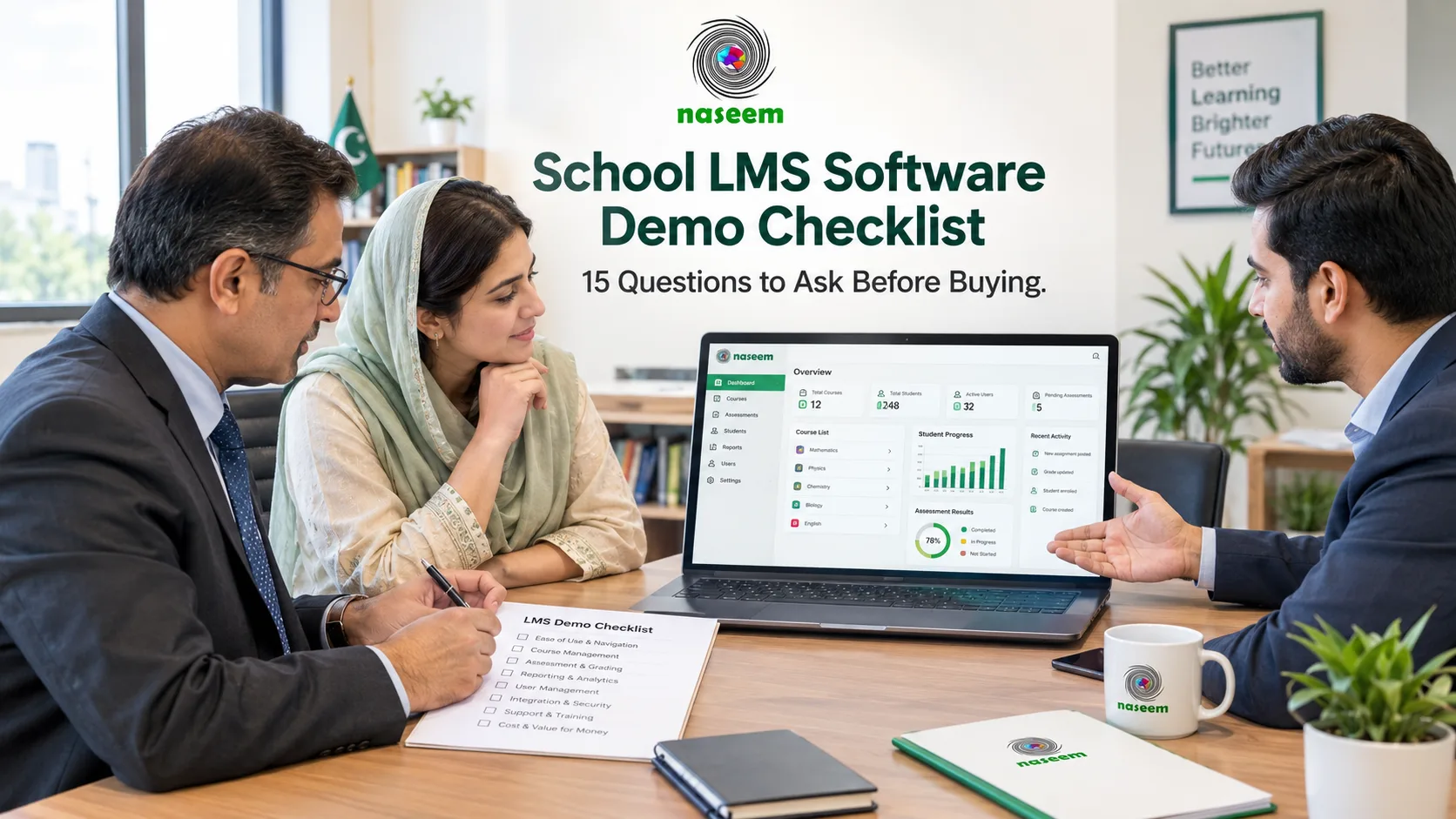
School LMS Software Demo Checklist: 15 Questions to Ask Before Buying
Choosing a learning management system is an important decision for any school. The platform may become part of teachers' daily routines, the way students access learning materials, how assessments are managed, and how school leaders review academic progress.
That is why a short product demonstration should not be treated as a formality.
A polished presentation can make almost any software look appealing. What matters is whether the platform works for your school, whether teachers can use it without unnecessary difficulty, whether students can access the learning activities they need, and whether the provider can support the institution over time.
A good LMS demonstration should answer practical questions, expose limitations, and give your school enough evidence to make a confident decision.
This checklist is designed for school owners, principals, academic coordinators, IT administrators, and procurement teams evaluating learning management system software in Pakistan or elsewhere. It covers the 15 questions worth asking before buying, along with the tasks to test during a demonstration and the warning signs to watch for.
If you are still learning about the fundamentals, start with Naseem Education's guide to learning management systems in Pakistan. If you are already comparing providers, use the checklist below to guide your next product demonstration.
Why an LMS Demo Matters More Than a Feature List
A feature list tells you what a vendor says its software can do. A demonstration helps you understand how those features work in practice.
For example, a provider may advertise assessment management. That does not tell you whether teachers can create the question types they need, whether grading is automatic or manual, how feedback is delivered, or how results can be reviewed.
Similarly, a platform may advertise parent engagement. You still need to know how parent accounts are created, which information parents can see, and whether access is restricted to the correct student.
These differences matter because schools rarely struggle with a lack of software features alone. They struggle when a system does not fit their actual workflows.
Before scheduling a demonstration, identify the three to five problems you want the new LMS to solve. They might include scattered learning materials, time-consuming assessment workflows, limited visibility into student progress, or difficulty sharing academic updates with parents.
Your team can then judge each vendor against those needs instead of being distracted by features that look impressive but may never be used.
Before the Demo: Prepare Your School's Requirements
A little preparation will make the demonstration much more useful.
Write down your school's basic requirements, including:
- The grades, subjects, and curriculum you support.
- The number and types of users who will access the platform.
- The learning activities and assessments teachers use most often.
- The information parents need to see.
- The reports school leaders need.
- The devices and internet connections available to users.
- Any existing systems that must work alongside the LMS.
- Your budget and expected implementation timeline.
Invite people who will use the platform. A principal may focus on reporting and cost, while a teacher may care most about creating assignments and reviewing student work. An IT administrator may need to understand permissions, data export, security, and integrations.
Each perspective matters.
You should also ask the provider to demonstrate the actual product rather than relying entirely on slides or pre-recorded videos. If a feature is not available in the proposed plan, ask for clarification before treating it as part of the offer.
The 15 Questions to Ask During an LMS Demo
1. Can the LMS support the way our school teaches?
Start with the most fundamental question: does the platform fit your school's teaching model?
Some schools primarily deliver classroom-based education and use an LMS to share resources, collect assignments, and review assessments. Others rely more heavily on online learning, independent practice, structured digital coursework, or blended learning.
A suitable LMS should support the activities your teachers actually use rather than force the school to redesign every workflow around the software.
Ask the provider to demonstrate a course that resembles one of your real subjects. For example, a mathematics teacher might need to share a lesson, assign practice questions, review submissions, and provide feedback. A language teacher may need students to submit written work or complete different types of activities.
The demonstration should reflect those differences.
What to test:
- Can courses be organized by subject and class?
- Can teachers share relevant learning materials?
- Can students locate activities and deadlines easily?
- Can the school maintain a consistent course structure?
- Does the platform support your required teaching approach?
Warning sign: The vendor can only demonstrate a generic course that does not resemble the way your school operates.
2. How easy is it for teachers to create courses and assignments?
Teachers should not need extensive technical assistance every time they prepare a routine learning activity.
Ask the provider to show the complete process of creating or organizing a course, adding learning material, assigning work, and updating an activity.
Pay attention to the number of steps involved. Can teachers understand the interface without constant guidance? Can they correct mistakes easily? Can they find previous activities when preparing future lessons?
For schools with many teachers, small workflow differences can have a meaningful effect over time.
Imagine a school where 30 teachers each prepare several lessons every week. If a process is unnecessarily complicated, the accumulated effort may become a real operational problem.
What to test:
- Create a course or open an existing one.
- Add a learning resource.
- Create an assignment or activity.
- Set a deadline where supported.
- Preview the student experience.
- Edit the activity and review how the change appears.
Ask whether templates, duplication, or other time-saving workflows are available if your teachers regularly prepare similar lessons.
Warning sign: The vendor claims that course management is easy but cannot demonstrate the everyday workflow clearly.
3. Which assessment formats does the LMS support?
Assessment requirements differ significantly between schools, subjects, and age groups.
Your teachers may use multiple-choice questions, short answers, extended written responses, assignments, file submissions, quizzes, or projects. A school may also need formative assessments during lessons and more formal evaluations at the end of a unit.
Ask the provider to list the supported formats and demonstrate the ones that are essential to your institution.
Do not settle for a general statement that the system supports online tests. Confirm whether teachers can configure the questions, grading rules, feedback, deadlines, and other requirements relevant to your curriculum.
What to test:
- Create a representative assessment.
- Preview it from the student's perspective.
- Review how submissions are collected.
- Check how teachers mark and return work.
- Confirm whether results can be reviewed later.
- Ask how different assessment formats are handled.
For automated marking, establish exactly which question types are supported. Auto-grading can reduce repetitive work for suitable questions, but not every assessment can be evaluated reliably in the same way.
Warning sign: The vendor uses the phrase "smart assessment" without explaining what it means in practice.
4. How does grading and feedback work?
A grade tells students how they performed. Useful feedback helps them understand what to improve.
Ask the provider to demonstrate what happens after a student submits work. Can the teacher review the submission, record a result, add comments, and return feedback? Can students find the feedback later? Can teachers review results without navigating through unnecessary screens?
Also ask whether the workflow differs for automatically graded activities and work that requires a teacher's judgment.
If the school uses grading scales, rubrics, or specific assessment procedures, confirm whether these can be accommodated.
What to test:
- Review a submitted assignment.
- Enter or adjust a grade where supported.
- Add feedback.
- Return the work to the student.
- Check how the student views the result.
- Review the assessment record afterward.
Warning sign: Results appear in the system, but the provider cannot explain how teachers and students use them to support the next stage of learning.
5. Can we track individual student progress and class performance?
An LMS should help your school understand how learning is progressing, not merely record whether students have opened a course.
Ask the vendor to show the reports available to teachers and school leaders. Can they review an individual student's performance? Can they identify incomplete work or examine assessment results? Can they compare progress over time?
The answers should reflect your school's needs. A small school may require straightforward progress summaries, while a larger institution may need reporting across multiple classes or subjects.
What to test:
- Open an example student record.
- Review the available progress information.
- Examine assessment results.
- Identify incomplete activities.
- View any relevant class-level reports.
- Export information if your school requires it.
Ask whether reports can be filtered by class, subject, assessment, or date, where applicable.
Also establish the limits of the reporting. A dashboard can show patterns, but teachers still need to interpret those patterns in context. A low score alone does not explain why a student is struggling.
Warning sign: The platform displays attractive charts but cannot answer the questions your academic team actually asks.
6. What can parents see, and how is their access managed?
Parent engagement is important for many schools, but it needs to be implemented carefully.
Some institutions want parents to see grades and assignment completion. Others may want visibility into learning progress, achievements, upcoming activities, or areas where a child needs additional support.
Ask the provider to show the actual parent experience, if available. Do not assume that a student dashboard and a parent dashboard are interchangeable.
What to test:
- How parent accounts are created.
- How a parent is linked to the correct student.
- Which academic information is visible.
- Whether parents can see assignments or progress.
- How access changes when a student changes class.
- How the school handles account recovery and access problems.
Confirm whether parent access is included in the proposed plan and whether any configuration is required.
Warning sign: Parent access is mentioned in the sales presentation but cannot be demonstrated or clearly explained.
7. Does the LMS support teachers, students, parents, and administrators appropriately?
Different users need different tools and different levels of access.
Teachers may need to manage courses and assessments. Students need to access their learning activities. Parents may need visibility into relevant academic information. School leaders may need broader reporting and administrative oversight.
Ask how the platform separates these roles and whether permissions can be configured to match your school's structure.
A school should not have to give every user the same access simply because the software cannot distinguish between responsibilities.
What to test:
- Review the teacher experience.
- Review the student experience.
- Examine the parent experience, if offered.
- Review administrator capabilities.
- Confirm which information each role can access.
Ask what happens when staff members leave, students transfer, or user responsibilities change.
Warning sign: The vendor cannot explain how access permissions are assigned or maintained.
8. Will the LMS work on our devices and internet connections?
A product demonstration conducted on a fast computer and reliable broadband connection may not reflect the experience of every student.
Schools should test the platform on the devices their users actually have. In some settings, students primarily use smartphones. In others, they may access the LMS through shared computers or school laboratories.
Ask the provider about browser compatibility, mobile usability, connectivity requirements, and any limitations that could affect your students.
What to test:
- Open the platform on a typical smartphone.
- Navigate to a course.
- Access a learning resource.
- Complete an activity.
- Review how the interface behaves on a smaller screen.
- Test the platform under realistic connectivity conditions where possible.
Do not assume that a mobile-friendly website automatically supports offline learning. If offline access is important, ask the provider to demonstrate it explicitly.
UNESCO's overview of digitalization and access to education discusses the digital divide and the importance of considering access and learner protection when introducing educational technology.
Warning sign: The vendor dismisses device or connectivity concerns without explaining the actual requirements.
9. What security and privacy controls are available?
Schools manage sensitive information, including student identities, academic performance, and contact details. Security should therefore be part of the buying decision from the beginning.
Ask the vendor to explain how user accounts are protected, how permissions work, what information is collected, and who can access it.
You should also request the relevant privacy policy, contractual documentation, and information about data handling. Confirm whether the provider uses third parties to process information and what arrangements apply to data retention and deletion.
What to ask:
- What access controls are available?
- How are administrator accounts protected?
- What security documentation can the provider supply?
- How is data backed up?
- What happens if a security incident occurs?
- How can the school export or delete information?
- What happens to school data after the contract ends?
The exact legal requirements will depend on your jurisdiction and the type of information involved. Schools should seek appropriate professional advice where needed.
For additional context, see UNESCO's guidance on personal data and privacy in online learning.
Warning sign: The provider offers broad assurances about security but cannot supply meaningful documentation or explain its responsibilities.
10. Can the LMS integrate with our existing systems?
Many schools already use other digital tools. You may have student records, school email accounts, productivity software, online learning resources, or administrative systems.
Before purchasing an LMS, identify which existing tools must work with it.
Ask the vendor to distinguish between built-in integrations, supported integrations that require configuration, and workflows that still need manual work.
Google Classroom, for example, documents integrations with selected educational tools and student information systems, but availability depends on the relevant configuration and supported services. Its official product documentation provides a useful example of why integration claims should be checked carefully.
What to test:
- Review the list of supported integrations.
- Confirm compatibility with essential systems.
- Ask how user accounts and records are synchronized.
- Determine whether data needs to be copied manually.
- Ask whether integrations involve additional costs.
- Confirm who supports the integration if something stops working.
Warning sign: The vendor says that the LMS integrates with "everything" but cannot name the supported products or explain the setup.
11. How much will the LMS cost in total?
The subscription price is only one part of the financial decision.
Depending on the product, schools may need to pay for onboarding, training, migration, technical support, additional users, integrations, or premium features. An apparently inexpensive product can become costly if it requires substantial external development or maintenance.
Ask the vendor to provide a written quotation that explains the proposed plan and all relevant charges.
What to clarify:
- Is pricing based on students, staff, campuses, or another measure?
- Are there user or storage limits?
- Which features are included?
- Is implementation included?
- Is teacher training included?
- Does support involve additional fees?
- What are the renewal terms?
- Can prices change during the contract?
- What happens if the school grows?
For open-source products such as Moodle, include hosting, maintenance, customization, and technical support in the total-cost calculation. Moodle's official hosting options guide explains the differences between self-hosting, MoodleCloud, and service-provider arrangements.
Warning sign: The provider quotes a headline price but avoids explaining what is excluded.
12. What onboarding and teacher training are included?
Introducing a new LMS requires more than creating accounts. Teachers need to understand the platform, administrators need to configure it, and students may need guidance on accessing their learning activities.
Ask the vendor to explain the onboarding process from the first day through the initial rollout.
Find out who is responsible for configuring the environment, preparing courses, importing data, and training staff. Confirm whether training is live, recorded, documented, or provided through another format.
What to ask:
- Is there a documented implementation plan?
- Who helps configure the school environment?
- How are teachers trained?
- Are students or parents given guidance?
- Is training included in the quoted price?
- Is support available after launch?
- How are problems reported and resolved?
Consider starting with a pilot group of teachers before expanding to the whole school. This can reveal usability problems and training needs before they affect everyone.
Warning sign: The vendor assumes the school will manage the transition independently despite limited internal technical capacity.
13. What support is available when something goes wrong?
Every software platform can encounter problems. The important question is how those problems are handled.
Ask which support channels are available, what hours they operate, whether support is included in the proposed plan, and whether response-time commitments are documented.
You should also understand the distinction between technical support and training. A provider may help resolve a login issue but charge separately for configuration or implementation assistance.
What to ask:
- How can teachers and administrators contact support?
- What are the normal support hours?
- Are urgent issues handled differently?
- Are response times defined in a service agreement?
- Is there documentation for common problems?
- Who is responsible for investigating service interruptions?
- What support is available during onboarding?
If the school operates across multiple campuses or time zones, check whether the support arrangements match your working hours.
Warning sign: The provider promises excellent support but cannot explain the actual process or terms.
14. Can we migrate our existing courses and records?
Switching an LMS can be complicated if the school has years of learning materials, assessment records, user accounts, and other information stored in its current system.
Do not assume that everything will transfer automatically.
Ask the vendor which types of information can be imported, what formats are supported, and whether the school will need to prepare the data before migration.
What to check:
- Course files and learning materials.
- User accounts and enrollment records.
- Assessment information and grades.
- Relevant student progress records.
- Existing course structures.
- Data export and backup procedures.
Ask whether migration support is included in the quotation. If historical information is important, request a test migration before making a final commitment.
Also establish how the school can export its data if it later changes providers. Data portability should be considered before signing the contract, not after the relationship ends.
Warning sign: The provider promises a seamless migration without reviewing your current system or explaining which information can actually be transferred.
15. How will we measure whether the LMS is successful?
A school should define success before implementation begins.
Without clear goals, it is easy to adopt a platform, spend time training staff, and then have no reliable way to determine whether the change was worthwhile.
Ask the vendor what information the platform provides to help the school review adoption and use. Then establish your own measures based on the problems you want to solve.
Possible measures include:
- Percentage of teachers actively using the platform.
- Percentage of students accessing assigned learning activities.
- Time required to prepare and grade assessments.
- Assignment completion rates.
- Frequency of parent engagement.
- Availability of useful academic reports.
- Number of manual tasks eliminated.
- Teacher and student feedback.
These measures should be interpreted carefully. More logins do not automatically mean better learning, and faster grading does not necessarily mean more useful feedback.
A successful LMS should support your school's educational objectives, not simply generate more activity data.
What to ask: Can the provider help us define a realistic pilot, identify useful measures, and review the results after implementation?
Warning sign: The vendor relies entirely on broad promises about improving learning without explaining how the school can evaluate the outcome.
A Practical LMS Vendor Scoring Sheet
After the demonstration, score each shortlisted product from 1 to 5 in the following areas.
| Criterion | Weight |
|---|---|
| Teaching and course management | 15% |
| Assessment and grading | 15% |
| Student progress and reporting | 15% |
| Ease of use | 15% |
| Parent and administrator workflows | 10% |
| Security and privacy | 10% |
| Integrations and migration | 5% |
| Onboarding and support | 5% |
| Total cost | 10% |
| Total | 100% |
Multiply each score by its weighting and add the results to compare vendors.
Use the same scorecard for each product. If a requirement is essential, mark it as mandatory rather than allowing a strong score elsewhere to compensate for its absence.
It is also useful to record evidence beside each score. For example, write "teacher created and returned a quiz during the demo" instead of simply recording a high score for assessments.
This makes the decision easier to explain to school leadership and helps distinguish demonstrated capabilities from promises that still need verification.
How to Evaluate Naseem Education During a Demo
If Naseem Education is on your shortlist, use the same evaluation process you would use for any other provider.
The Naseem Education LMS page describes course management, learning activities, assessments, auto-grading capabilities, student progress tracking, teacher tools, parent visibility, and learning insights. These are useful starting points for deciding what to investigate during a demonstration.
Ask the team to demonstrate the workflows most relevant to your school rather than relying only on a general overview.
For example, request a walkthrough that includes:
- Organizing a course for one of your subjects.
- Sharing a learning resource.
- Creating and reviewing an assessment.
- Showing how feedback reaches a student.
- Reviewing student progress.
- Explaining the available parent experience.
- Showing the reporting available to school leaders.
- Explaining account permissions and data handling.
- Clarifying integrations and data export.
- Reviewing the proposed plan, pricing, and onboarding arrangements.
If a capability is important but cannot be demonstrated, ask whether it is available in the proposed plan, requires configuration, or is not currently supported.
That approach gives your school a clearer understanding of the product's suitability and provides a stronger basis for comparison with alternatives.
You can learn more through the official Naseem Education website and its learning management system overview.
Common Mistakes Schools Make When Evaluating LMS Software
Choosing the platform with the longest feature list
More features do not automatically mean a better fit. Focus on the workflows your school needs and how effectively the product supports them.
Letting only the principal or IT team evaluate the product
Teachers and students will use the system regularly. Their experience should influence the decision.
Ignoring the complete cost
Include implementation, training, support, integrations, migration, renewals, and other relevant charges.
Accepting verbal assurances
Ask for written confirmation of essential capabilities, security arrangements, service commitments, and pricing.
Skipping the pilot
A small, structured pilot can reveal problems that are difficult to spot in a presentation.
Failing to plan for data portability
Know how to export your records and what happens to your information when the contract ends.
Expecting the software to fix every academic problem
An LMS can support teaching and administration, but it cannot replace effective instruction, appropriate assessment design, teacher judgment, or school leadership.
Final Checklist: Before You Sign the Contract
Use this final list at your procurement meeting.
LMS purchase checklist
0 of 12Conclusion
Choosing an LMS is not just a software purchase. It is a decision about how your school will organize learning, support teachers, engage students, protect information, and manage academic work over time.
A structured demonstration helps you look beyond marketing claims and determine whether a platform genuinely fits your institution. By asking these 15 questions, testing real workflows, and comparing vendors using consistent criteria, your school can make a more informed decision.
If Naseem Education is among the platforms you are considering, begin with its LMS overview, prepare your school's requirements, and request a demonstration focused on the tasks that matter most to your staff and students.
The goal is not to buy the software with the most features. It is to choose a learning environment your school can use effectively, support responsibly, and build on as its needs evolve.
Frequently Asked Questions
Ready to Bring Your School’s Learning Together?
Give your school a connected learning management system designed to support students, teachers, parents, and school leaders.