Benefits of a Learning Management System for Schools
Schools have always had to manage the same basic learning activities: teachers prepare lessons, students complete work, teachers assess it, parents receive updates, and school leaders monitor academic progress. What has changed is how much of that work can now be organized digitally.
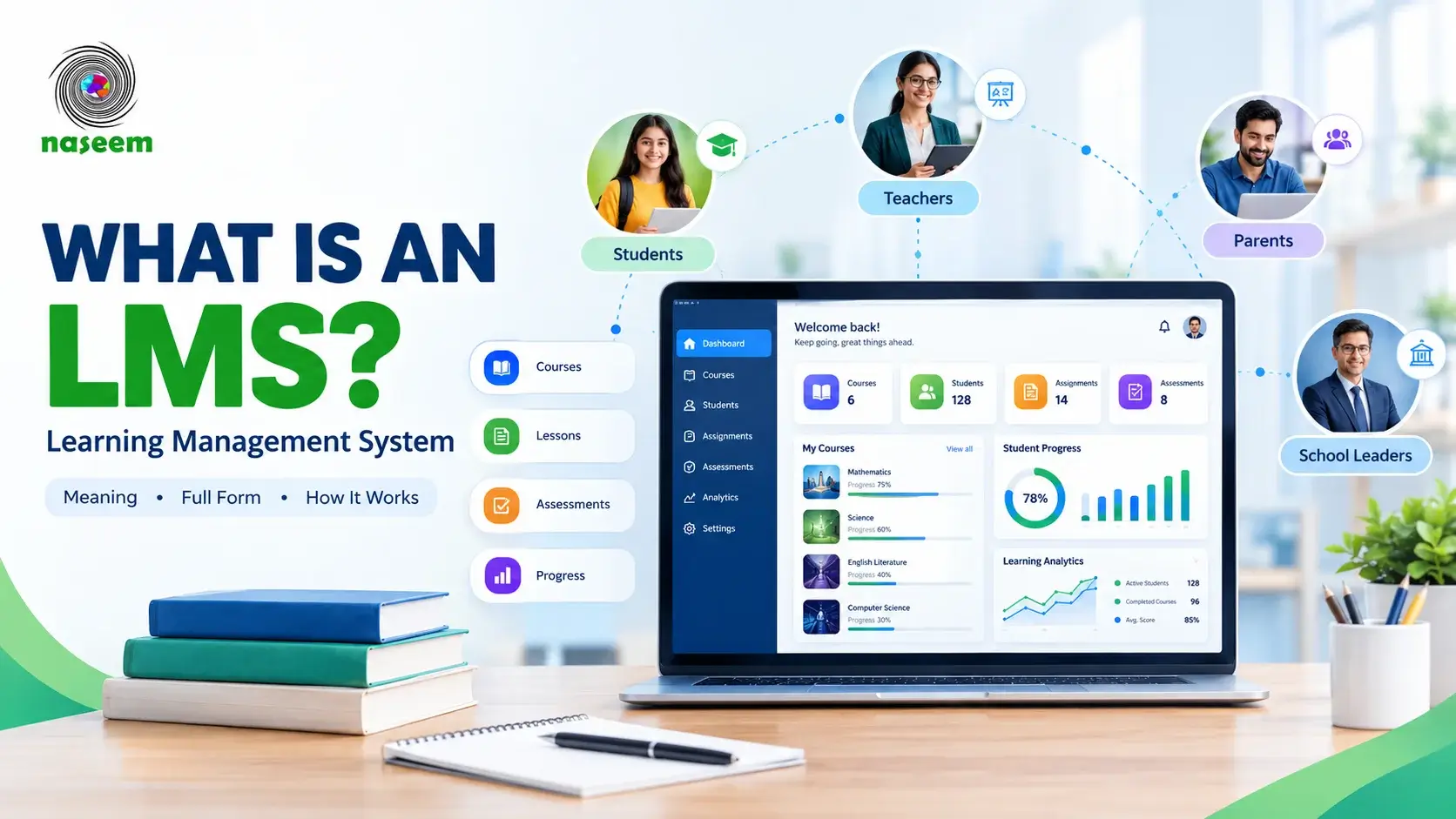
A Learning Management System (LMS) gives schools one place to manage learning materials, assignments, assessments, feedback, student progress, and other parts of the learning process. Instead of treating digital learning as a collection of separate tools, a school can use an LMS to connect the people and activities involved in education.
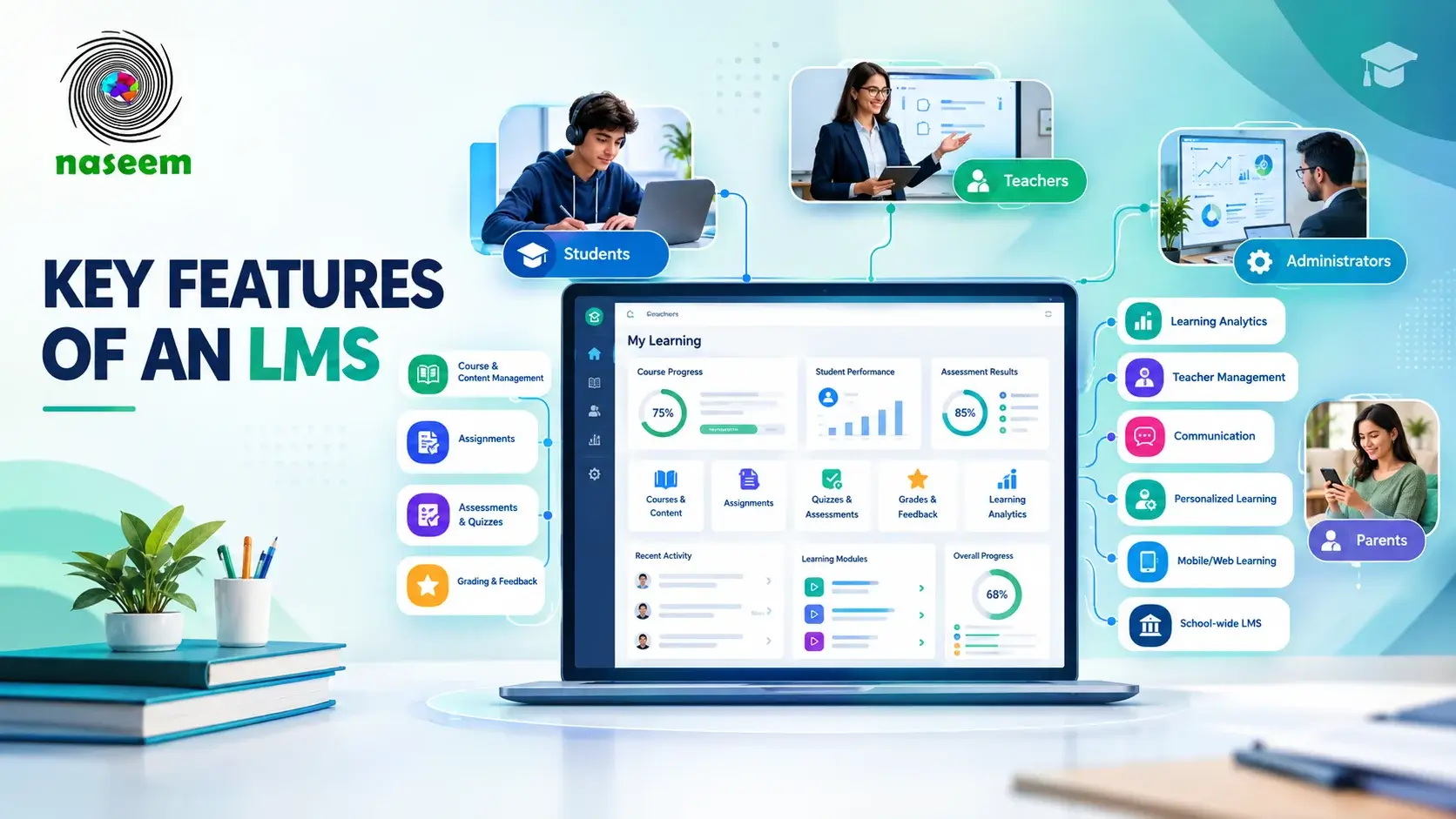
The benefits of a learning management system for schools therefore go beyond putting lessons online. A well-chosen LMS can make learning resources easier to access, give teachers a clearer view of student progress, organize assessment, improve communication, support parents, and give school leaders better information for academic decisions.
The value depends on how the system is selected and used. Technology by itself does not improve teaching. UNESCO's work on technology in education makes the same broader point: digital tools should serve educational goals and support human interaction rather than attempt to replace it.
What Are the Main Benefits of an LMS for Schools?
The main benefits of an LMS for schools include:
- Keeping learning materials and activities organized in one place
- Giving students easier access to courses and learning resources
- Helping teachers track student progress
- Making assignments and assessments easier to manage
- Giving students clearer and more timely feedback
- Supporting more personalized learning
- Reducing repetitive administrative work for teachers
- Improving communication between teachers and students
- Giving parents greater visibility into their child's learning
- Helping school leaders understand academic trends
- Supporting classroom, blended, and online learning
- Creating more consistent learning processes across classes
- Turning learning activity into useful reports and insights
These advantages affect different members of the school community in different ways. A student may benefit from easier access to coursework, while a teacher may value progress tracking and assessment tools. A parent may want clearer information about academic performance, while a school leader may need institution-level reporting.
1. Brings School Learning Into One Place
One of the simplest learning management system benefits is organization.
Schools often work with many types of learning information at the same time: lesson resources, assignments, assessment results, feedback, announcements, student records, and progress information. When these are spread across paper files, messaging platforms, email, cloud folders, and unrelated applications, students and teachers have to spend time finding information before they can use it.
An LMS can bring course-related learning into a structured digital environment.
Students can find their courses and available resources in one place. Teachers can organize lessons and activities around individual courses. Administrators can manage users and oversee learning activity without relying on a collection of disconnected systems.
This builds on the basic concept explained in our guide to what an LMS is, but the focus here is different: the benefit comes from having a more organized learning environment rather than from the definition of the technology itself.
Why centralized learning matters
A centralized learning environment can help schools:
- Reduce the number of places students need to check
- Keep course materials organized
- Make assignments easier to find
- Keep learning activities connected to the relevant course
- Give teachers a clearer structure for managing digital learning
- Make information easier to access when students need to review previous work
The result is not necessarily less work in every situation. Schools still need to create good content, maintain courses, and manage users. The advantage is that those activities have a clearer place within the school's learning environment.
2. Makes Learning Resources Easier for Students to Access
Students do not stop needing learning resources when a lesson ends.
They may need to review a concept before an assessment, revisit instructions for an assignment, catch up after missing a lesson, or work through available material outside normal classroom hours.
An LMS can make this easier by keeping learning resources connected to the relevant course.
Depending on the system, students may be able to access:
- Lessons
- Documents
- Videos
- Assignments
- Quizzes
- Course activities
- Teacher feedback
- Progress information
This can support classroom teaching, blended learning, and online learning without requiring the school to abandon face-to-face instruction.
UNESCO's research on technology in education describes digital technology as having potential uses in teaching and learning, including expanding opportunities to practise, increasing available learning time, and supporting different ways of presenting content. It also stresses that technology needs to be used in appropriate educational contexts rather than treated as an automatic solution. Technology in education provides a useful background on that distinction.
Supporting independent learning
An LMS can also give students more control over routine parts of their learning.
A student who wants to review a lesson can return to the available material. A student checking an assignment can find the instructions again. A learner preparing for an assessment can revisit relevant resources.
That does not mean every student will automatically become an independent learner. The quality of the resources, teaching, feedback, and school support still matters.
3. Gives Teachers a Clearer View of Student Progress
A grade can tell a teacher how a student performed on a particular assessment. It does not always explain what happened before that result.
Student progress tracking can provide a broader view.
An LMS may bring together information such as:
- Course completion
- Assignment completion
- Assessment performance
- Learning activity
- Progress through course material
- Previous results
- Areas requiring additional support
This can help teachers notice patterns that are difficult to see when information is stored separately.
For example, a teacher may notice that a student is completing lessons but repeatedly struggling with assessments covering one particular concept. That does not automatically explain the reason, but it gives the teacher a useful starting point for investigating the problem.
From grades to a broader view of learning
The difference matters.
A report that says a student received 55% on an assessment provides one piece of information. A learning environment that also shows the student's previous performance, completed activities, submitted work, and feedback can provide more context.
Teachers can then use professional judgment to decide what support may be appropriate.
This is one of the stronger LMS benefits for teachers because it connects information that might otherwise remain separated.
4. Makes Assignments and Assessments Easier to Manage
Assignments are a routine part of school life, but managing them can become complicated when instructions, submissions, grading, and feedback are handled through different channels.
An LMS can bring these steps closer together.
Teachers can use the platform to:
- Create assignments
- Add instructions
- Set deadlines
- Collect submissions
- Review student work
- Grade assignments
- Provide feedback
- Monitor completion
Students can use the same environment to see what they need to complete and submit their work.
A more connected assessment process
Assessment becomes more useful when it is connected to the learning that comes before and after it.
A teacher can provide a lesson, assign an activity, review the resulting work, provide feedback, and then use the information to decide what students may need next.
That connection is one reason assessment belongs in an LMS rather than being treated as a separate digital function.
Schools looking at the underlying capabilities can also review our guide to the key LMS features, which explains assessment, grading, progress tracking, reporting, communication, and other LMS capabilities in greater detail.
5. Gives Students Faster and More Useful Feedback
Feedback is more than a score.
A useful comment can tell a student what was done well, where a problem occurred, and what to work on next. An LMS can give teachers a structured place to provide that feedback alongside the relevant assignment or assessment.
This matters because students can return to the feedback when reviewing their work.
The Education Endowment Foundation describes feedback as information about a learner's performance in relation to learning goals and notes that effective feedback should give specific information that helps improve learning. Feedback can also be delivered through digital technology. EEF's evidence on feedback provides further detail.
Why context matters
Feedback is more useful when students can connect it to the work being discussed.
Instead of receiving a disconnected message saying that an assignment needs improvement, a student may be able to see the feedback alongside the relevant submission.
An LMS does not make feedback effective automatically. Teachers still need to decide what students need to know and how that feedback should be communicated.
6. Supports More Personalized Learning
Students do not all move through a subject at exactly the same pace or encounter the same difficulties.
An LMS can give teachers information that helps them recognize these differences.
For example, learning information may show that:
- One student is progressing quickly through a topic
- Another student needs more practice
- A group is struggling with the same concept
- A student has completed activities but needs additional support
- A learner may benefit from revisiting earlier material
This creates a basis for more targeted teaching.
Personalized learning still depends on teachers
It is easy to overstate what an LMS can do.
An LMS does not automatically understand every student's needs or determine the best teaching approach. Personalization depends on the quality of the information available, the design of learning activities, and the decisions teachers make from that information.
The useful role of an LMS is to make relevant learning information easier to see and use.
7. Reduces Repetitive Administrative Work for Teachers
Teachers spend time on many activities that are necessary but repetitive.
Distributing resources, collecting assignments, recording grades, checking completion, and looking for student information can consume time that could otherwise be spent on teaching and student support.
An LMS can organize some of these routine activities within the same system.
For example, instead of separately distributing an assignment, collecting submissions, recording results, and updating a progress record, teachers may be able to manage these stages through one connected workflow.
What teachers can focus on instead
The purpose is not to remove teacher involvement.
A better outcome is to reduce unnecessary repetition so teachers have more room for activities that require their professional judgment, such as:
- Planning lessons
- Supporting students
- Reviewing difficult concepts
- Giving meaningful feedback
- Adapting instruction
- Discussing progress with learners and families
The actual time saved depends on the school's processes, the LMS, and how well staff adopt it.
8. Improves Communication Between Teachers and Students
Learning involves communication as well as content.
Teachers need to provide instructions, announcements, feedback, and updates. Students need to understand what is expected of them and where to find information about their coursework.
An LMS can keep much of this communication closer to the relevant learning activity.
This can be useful when a teacher needs to clarify an assignment or when a student needs to revisit instructions later.
Keeping learning communication in context
A message about an assignment is easier to use when the student can find it alongside the assignment itself.
This can reduce the need to search through unrelated messages or remember which communication channel was used for a particular course.
The exact communication capabilities vary between LMS platforms, so schools should assess the actual workflow rather than assuming every system offers the same tools.
9. Helps Parents Stay More Informed About Learning
Parents are another important part of the school learning environment.
They may want to understand whether their child is keeping up with coursework, completing assignments, performing well in assessments, or needing additional support.
A school LMS can provide parents with appropriate visibility into relevant learning information.
Depending on the platform and school policy, this may include:
- Student progress
- Academic performance
- Assignment information
- Achievements
- Relevant updates
- Areas where additional support may be useful
From occasional updates to better visibility
The benefit is not that parents need access to every piece of student information.
Schools should decide what information parents actually need and how it should be presented.
Useful parent visibility should help families support learning without creating unnecessary monitoring or confusion.
10. Gives School Leaders Better Visibility Into Learning
Teachers usually focus on individual students and classes. School leaders often need to look at broader patterns.
An LMS can provide reporting and analytics that help administrators understand learning activity across groups.
For example, school leaders may want to examine:
- Student progress
- Assessment performance
- Course completion
- Class-level trends
- Areas where additional academic support may be needed
- Learning activity across the institution
This information can contribute to planning and decision-making.
Data should inform decisions, not make them
A dashboard cannot explain every reason behind a student's performance.
A decline in assignment completion, for example, could have several causes. School leaders need context from teachers and students before deciding what action to take.
The useful role of learning analytics is to help identify questions worth investigating.
11. Supports Blended and Online Learning
An LMS does not have to mean replacing classroom teaching with online lessons.
Schools can use an LMS to support several models:
- Traditional classroom learning
- Blended learning
- Online classes
- Independent study
- Homework and revision
- Learning activities outside normal classroom hours
A teacher may explain a topic in class, provide supporting material through the LMS, assign an activity, review the results, and discuss common difficulties during the next lesson.
That makes the LMS part of the teaching process rather than a separate destination.
UNESCO's technology-in-education guidance also stresses that digital technology should support education and human interaction rather than be treated as a substitute for them.
12. Makes Learning More Consistent Across Classes and Courses
Consistency is another practical advantage.
When each teacher uses completely different systems for distributing resources, collecting work, and communicating instructions, students may have to learn several different processes.
A school-wide LMS can provide a common environment.
That can make it easier to establish consistent approaches to:
- Course organization
- Assignment submission
- Assessment
- Feedback
- Progress tracking
- Student access
Consistency does not mean every teacher has to teach in exactly the same way.
Teachers should still have room to choose appropriate teaching methods. The value is that the underlying learning environment is easier for students and staff to navigate.
13. Turns Learning Activity Into Useful Insights
A school LMS can generate large amounts of information, but more data does not automatically mean better decisions.
The useful question is whether the information helps a school understand something it needs to act on.
Learning analytics can help schools examine patterns such as:
- Which students are progressing as expected
- Where students are struggling
- Which assessments produce weaker results
- How course completion is progressing
- Whether students are engaging with available learning activities
Teachers can use these insights at classroom level, while school leaders can look at broader patterns.
Progress tracking vs. learning analytics
These terms are related but not identical.
Progress tracking generally focuses on how an individual learner or group is moving through learning.
Learning analytics can examine broader patterns across learning activity, performance, courses, classes, or groups.
Both can be useful when the information is connected to an actual educational decision.
14. Supports a More Connected School Learning Environment
The strongest benefits of LMS in education appear when different parts of the school experience work together.
Consider a simple learning cycle:
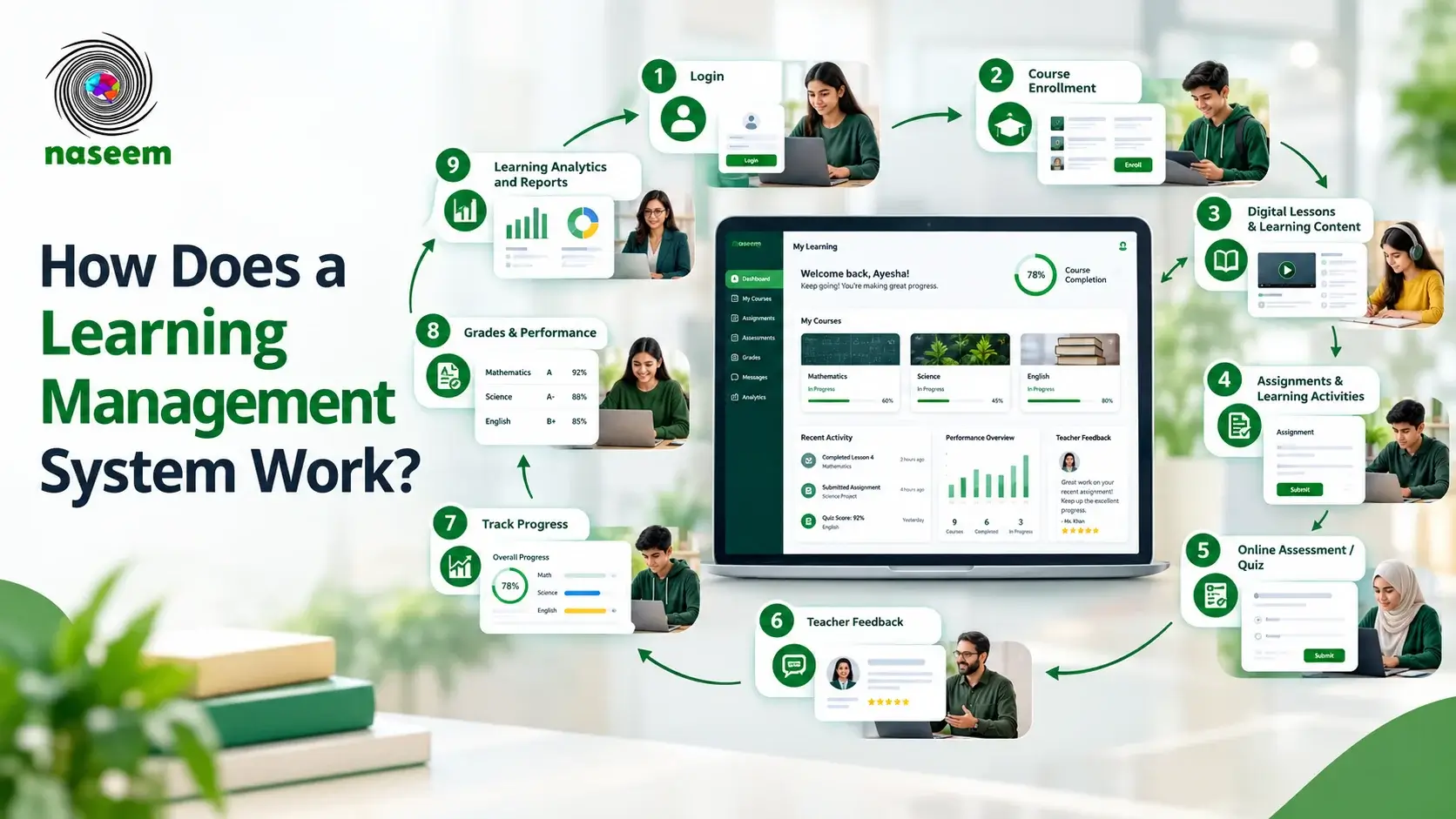
Student learns → student completes work → teacher assesses → feedback is provided → progress is tracked → support is adjusted → parents can stay informed → school leaders can review broader patterns.
Without a connected system, these activities may exist in separate places.
A school-focused LMS can bring them closer together.
This is also why evaluating an LMS purely by its number of features can be misleading. The more useful question is whether the features work together in a way that supports the school's actual learning process.
See: How Does a LMS Work?
How Naseem Education Brings These LMS Benefits Together
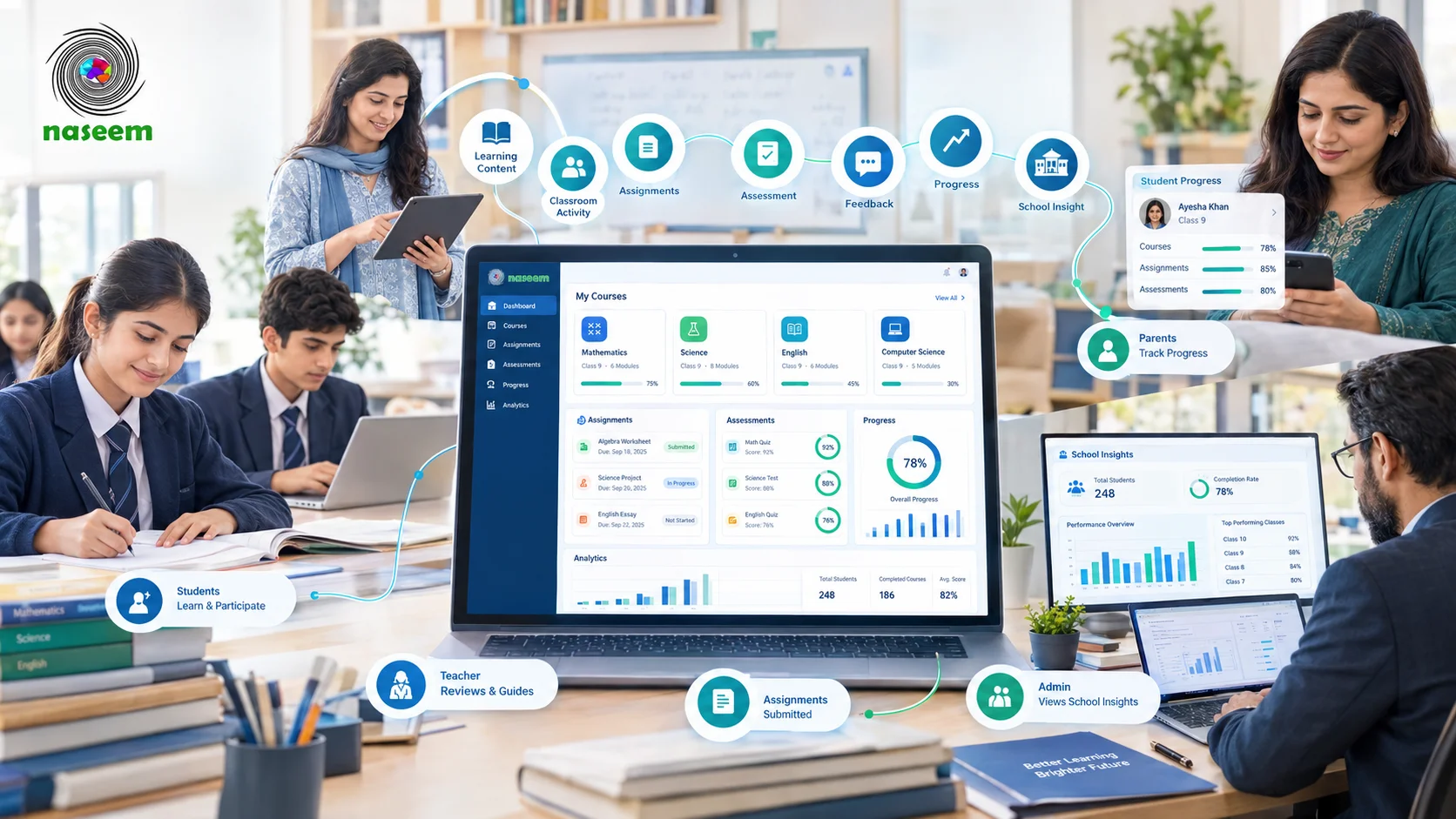
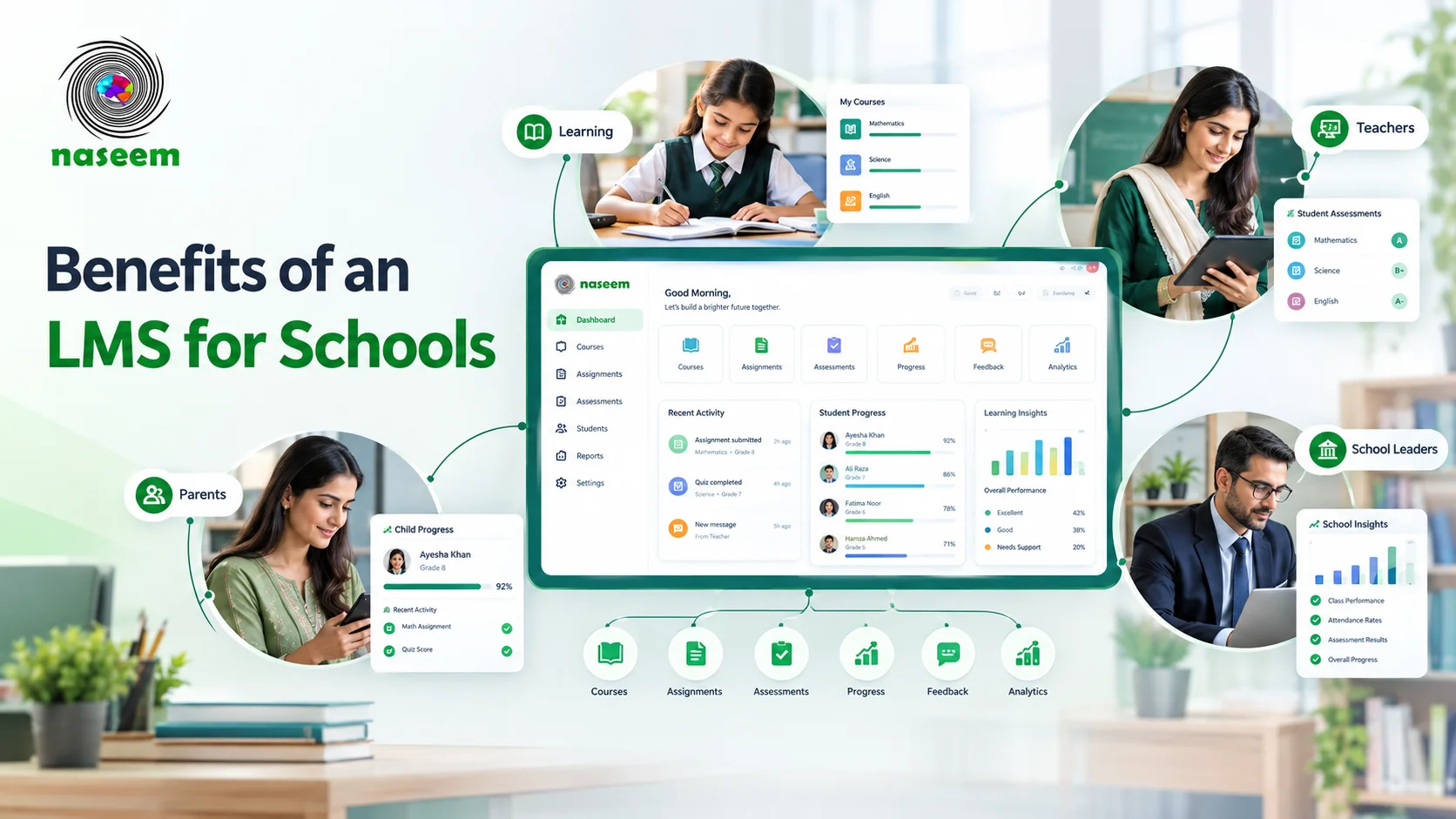
Naseem Education is a school-focused learning management system for schools designed around students, teachers, parents, and school leaders.
Its current LMS platform brings courses, learning activities, assessments, student progress, teacher workflows, parent visibility, and school-level insights into one digital learning environment. It also describes support for personalized learning, analytics, multilingual learning, gamified learning, and web and mobile access.
The important point is how these capabilities connect.
For students
Students can access courses, learning activities, assessments, feedback, and progress information through one learning environment.
That supports the same central benefit discussed throughout this article: students do not have to treat every part of their learning as a separate digital task.
For teachers
Teachers can manage learning activities and assessments while keeping student performance and progress information within the same environment.
This can give teachers a clearer picture of individual students and make it easier to identify areas where additional support may be appropriate.
For parents
Parents can stay connected to relevant information about their child's progress and performance.
The aim is useful visibility rather than giving families access to every piece of school data.
For school leaders
School leaders can use broader learning information to understand academic progress and institutional trends.
That can support decisions about where students, teachers, or particular learning areas may need additional attention.
You can see how these roles connect on the Naseem Education learning management system for schools page.
What Should Schools Consider Before Choosing an LMS?
The benefits of a learning management system depend heavily on choosing a platform that fits the school's actual requirements.
A school should consider more than the number of features listed on a product page.
Does the LMS Fit the School's Teaching Model?
A school that mainly uses classroom teaching may need different workflows from a school delivering large amounts of online coursework.
Consider how the LMS will fit into existing lessons, homework, assessments, and communication.
Is It Easy Enough for Teachers and Students?
A technically capable LMS can still create problems if teachers find routine tasks difficult.
Ask teachers to perform real tasks such as:
- Creating a course
- Adding learning material
- Creating an assignment
- Assessing student work
- Checking progress
- Finding previous feedback
Students should perform similar real-world tasks before a school commits to the system.
Does It Provide Useful Progress Tracking?
Ask exactly what the LMS tracks.
A useful system should provide information that teachers and school leaders can understand and act upon rather than simply producing large numbers of reports.
Does It Support Parents Appropriately?
Parent access should match the school's communication policy.
Schools should decide which information parents need, how often they should see it, and how the information should be presented.
How Does the LMS Handle Security and Privacy?
Schools handle information about students, teachers, families, and academic performance.
Privacy and data management should therefore be part of the LMS evaluation process.
For example, the U.S. Department of Education's Student Privacy Policy Office explains that education records can include grades, transcripts, course schedules, and other information maintained by an educational institution. Its guidance also covers the circumstances under which student information can be shared with outside parties.
Schools should review the laws and privacy requirements that apply to their own jurisdiction, along with the LMS provider's privacy policy, security documentation, access controls, data-processing arrangements, and contractual terms.
The U.S. Department of Education's student privacy resources are a useful reference for understanding the privacy considerations surrounding education records, although U.S. requirements should not be treated as a substitute for the laws applicable to another country.
Can the Platform Scale With the School?
The system should be able to support the school's expected number of:
- Students
- Teachers
- Courses
- Classes
- Administrators
- Parents
Schools should also consider whether they can continue using the platform if their digital learning requirements expand.
Does It Work on the Devices Students Actually Use?
A school should test the LMS using the devices and internet conditions its students and teachers actually experience.
Do not assume that a platform described as mobile-friendly will provide an equally good experience for every workflow on every device.
Can It Work With Existing School Systems?
A school may already use systems for student records, attendance, finance, communication, or administration.
Before choosing an LMS, determine which systems need to remain in place and whether data needs to move between them.
Are There Any Limitations to Using an LMS in Schools?
An honest discussion of learning management system benefits should also consider the limitations.
An LMS does not automatically solve teaching or administrative problems.
Schools may face challenges involving:
- Staff training
- Teacher adoption
- Student digital literacy
- Device availability
- Internet connectivity
- Accessibility
- Data privacy
- Content quality
- Implementation time
- Migration from existing systems
- Ongoing administration
Technology also needs to fit the local context.
UNESCO's Global Education Monitoring work warns against assuming that technology automatically produces educational improvement. The report points to issues involving evidence, equity, infrastructure, cost, and appropriate use. Schools therefore need to evaluate digital tools according to their own educational needs rather than adopting them simply because they are available.
This is particularly important for schools serving students with different levels of device access, connectivity, language needs, or digital experience.
How Schools Can Get More Value From an LMS
Choosing an LMS is only the first step.
Schools can improve the chances of a successful implementation by starting with educational needs rather than software capabilities.
Start With the Learning Problem
Ask what the school is trying to improve.
Is the main issue:
- Disorganized learning resources?
- Limited visibility into student progress?
- Difficult assignment management?
- Slow feedback?
- Parent communication?
- School-level reporting?
- Support for blended learning?
The answer should influence the LMS requirements.
Involve Teachers Early
Teachers will use the system every day, so they should have a meaningful role in evaluating it.
Ask them to test real workflows instead of simply reviewing feature lists.
Give Staff Time to Learn the System
Training should cover the actual work teachers need to perform.
A short demonstration is not the same as being comfortable with a system during a busy school week.
Keep Course Structures Understandable
Students should not need to learn a completely different navigation system for every class.
Schools can establish basic conventions for course organization while allowing teachers to maintain appropriate flexibility.
Use Data to Ask Better Questions
Progress reports and analytics should lead to useful questions.
If several students are struggling with the same assessment, for example, the next step may be to review the underlying teaching material or assessment rather than simply labeling the students as underperforming.
Review the Implementation
After launch, schools should look at:
- Teacher adoption
- Student participation
- Course usage
- Assessment workflows
- Parent engagement
- Common support issues
- Feedback from users
An LMS should evolve with the school's needs.
Final Takeaway: Is an LMS Worth It for a School?
A learning management system for schools can bring structure to parts of the learning process that are otherwise spread across different tools and workflows.
Students can gain easier access to learning resources and progress information. Teachers can organize coursework, assessment, feedback, and student monitoring in one environment. Parents can receive more useful visibility into learning. School leaders can use broader information to understand academic patterns and identify areas that deserve attention.
But an LMS is not valuable simply because it is digital.
The strongest results come when the platform fits the school's teaching model, teachers can use it comfortably, students can access it reliably, privacy is handled properly, and the information produced by the system supports real educational decisions.
For schools looking for a connected platform covering courses, assessments, student progress, teacher workflows, parent visibility, and school-level learning insights, Naseem Education's LMS is one option to evaluate.
Bring Your School's Learning Together
Naseem Education brings students, teachers, parents, and school leaders into one connected learning environment, with tools for courses, assessments, progress tracking, personalized learning, and learning insights.
Explore the Naseem Education LMS for schools to see how the platform can fit into your school's learning environment.
Frequently Asked Questions About LMS Benefits for Schools
Ready to Bring Your School’s Learning Together?
Give your school a connected learning management system designed to support students, teachers, parents, and school leaders.